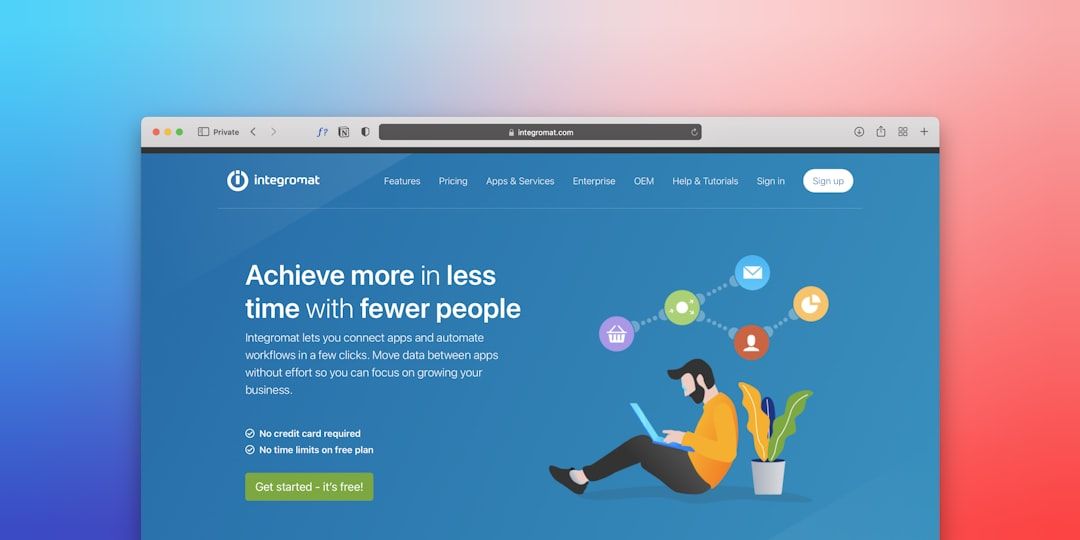
There are 156 templates tagged "SaaS" in the Webflow Marketplace right now. At least 120 of them will waste your time.
They look good in screenshots. Dark hero, gradient blobs, three pricing tiers with a toggle. But they're built for the category, not for your stage. A pre-seed founder validating a B2B idea needs a completely different site than a Series B company building a sales-led growth machine. Same template, same layout, same conversion architecture — wrong for both.
The fifteen templates in this list are sorted by startup stage, because that's the only filter that actually matters when you're picking a Webflow template for SaaS.
What a SaaS Webflow template must include
There are 156 templates tagged "SaaS" in the Webflow Marketplace right now.
Before you look at a single design, check for four things. If any are missing, move on.
First: a proper pricing section. Not a "contact us" placeholder or a three-column card layout with no toggle. An actual monthly/annual switch with per-plan feature comparison. If you don't have this, you're building it yourself later.
Second: a product screenshot section in the hero. The hero's job is to answer "what does this product actually do?" in under five seconds. If the template's hero is a headline and a generic illustration, it's built for agencies, not software products.
Third: a demo or trial CTA with the right architecture. The primary button drives a free trial or demo booking. The secondary button, if there is one, goes to a product tour or pricing page. Not a "learn more" button pointing to the features section on the same page.
Fourth: Webflow CMS set up for a blog. Not a placeholder. An actual CMS collection with author, category, date, and slug fields. A SaaS site without a content strategy in 2026 is invisible.
Every template in this list has all four.
Best Webflow templates for early-stage SaaS and MVPs
These three templates are for one thing: validating a product before you over-invest in a website.
Saasify (Webflow Marketplace, $49) — The cleanest MVP template in the marketplace. One homepage, one pricing page, and a CMS blog. The hero section is a two-column layout: headline left, product screenshot right. It takes under a day to make it look like your product. The CMS is minimal but functional.
Foundry (Webflow Marketplace, free) — Webflow's own free SaaS template. It's not the most exciting design, but it's the most stable one on this list. Auto-layout on everything, proper breakpoints, and it passes Core Web Vitals on the first publish. Good for a product that needs to look credible, not beautiful. Customization time: 3–5 hours.
Launch by Brixtemplates ($79) — Built specifically for pre-launch waitlist SaaS products. The hero has an email capture form, a "how it works" three-step section, and a social proof block with face-piles. No ecommerce, no complex CMS. The one thing it does, it does well.
Best Webflow templates for funded B2B SaaS
These four templates are for companies with a sales team, a defined ICP, and a need to generate pipeline — not just traffic.
Salient (Webflow Marketplace, $129) — The industry standard for B2B SaaS Webflow templates, and it earned that title. 22 pages, enterprise social proof sections, compliance callouts, and a case studies CMS. If you're going into a Series A with a website that needs to close a $50K deal, this is the template.
Innoflow by Brix ($89) — Cleaner than Salient, faster to customize. Built for clarity: the value proposition is the first thing you see, the social proof is directly below it, and the pricing section is three clicks from the homepage. Integration logos section included.
Modular by Webestica ($99) — A component-based template, not a page-based one. You assemble your site from 80+ pre-built sections rather than editing a fixed layout. More work upfront, much more flexibility. Best for SaaS products with multiple personas or a complex feature set that needs its own dedicated sections.
Nexus by Flowbase ($119) — The template for products that need to look expensive. Not a dark theme — a clean, white, typography-forward layout that signals enterprise credibility. The security and compliance section is unusually detailed for a Webflow template. Includes a job board section for companies hiring aggressively.
Best Webflow templates for AI and dev-tool startups
Orbit by Wedoflow ($79) — Built in 2025 with AI products in mind. The hero supports a live demo embed (iframe or Lottie animation). The "how it works" section is structured as a three-step process, which is how AI products typically explain their value. Fast load times — Orbit scores 95+ on Lighthouse.
Terminus by Brix ($89) — Developer-facing. The code snippet section in the hero is the standout feature — swap it for your own API call or CLI command and you've done 80% of the customization. Documentation landing page included.
API by Webflow Marketplace ($79) — Built by the Webflow team specifically for API and developer products. Clear information architecture, a rate-limit comparison table in the pricing section, and an SDK / integration showcase section that's rare to find in a marketplace template.
Best Webflow templates for fintech SaaS
Vault by Webestica ($129) — The most trust-signal-dense template in this list. Security badges, regulatory compliance callouts, data residency indicators, and an enterprise contact form with an SLA mention. If your product handles money or personal data, Vault starts from the right assumptions.
Ledger by Brixtemplates ($99) — Cleaner than Vault, better for fintech products that want to look approachable rather than institutional. The pricing section supports three tiers with a monthly/annual toggle and per-feature breakdown. Includes a press kit section.
Best free SaaS Webflow templates
SaaS by Webflow Marketplace (free) — Webflow's own free SaaS template. Dated design by 2026 standards, but the underlying structure is correct: proper heading hierarchy, clean CMS setup, and it passes accessibility checks. Use it for an MVP, then upgrade.
Startup by Webflow Marketplace (free) — More minimal than the SaaS template. One-page layout with anchor navigation. Best for products that can explain their entire value proposition in a single scroll.
Comparison table
| Template | Price | Pages | CMS | Stage |
|---|---|---|---|---|
| Saasify | $49 | 3 | Blog | Pre-seed |
| Foundry | Free | 5 | Blog | Pre-seed |
| Launch | $79 | 3 | Waitlist | Pre-seed |
| Salient | $129 | 22 | Blog + case studies | Series A+ |
| Innoflow | $89 | 8 | Blog | Series A |
| Modular | $99 | 80+ sections | Blog + resources | Series A |
| Nexus | $119 | 10 | Blog + jobs | Series B |
| Orbit | $79 | 6 | Blog | AI/dev tools |
| Terminus | $89 | 7 | Blog + docs | Dev tools |
| API | $79 | 6 | Blog + changelog | API products |
| Vault | $129 | 9 | Blog + resources | Fintech |
| Ledger | $99 | 7 | Blog + press | Fintech |
| SaaS | Free | 6 | Blog | MVP |
| Startup | Free | 1 | None | MVP |
How to customize a SaaS Webflow template for conversions
Don't start with the colors. Start with the CTA.
Open the template, find every button on the site, and change the copy to match your actual offer. "Get started" becomes "Start free trial" or "Book a demo" depending on your model. Every button should have one job and point to one URL.
Then do the hero. Swap the headline for your real value proposition, swap the product screenshot for your actual product, and delete anything in the hero section that requires you to explain it.
Pricing section last. This is the one section worth building from scratch if the template's pricing table doesn't match your model. Don't force your pricing into a template's layout — it will confuse every visitor who reaches it.
→ Browse all Webflow templates on Mantlr
→ Compare: Framer vs. Webflow for SaaS templates
→ See also: Free Webflow templates
FAQ
Do SaaS Webflow templates include Webflow hosting?
No. Templates are a one-time purchase for the design files. You need a Webflow Site Plan ($18–$49/mo) to publish your site on a custom domain. The CMS features require the CMS plan or higher.
Can I use a SaaS Webflow template for a client project?
Most Webflow Marketplace templates are sold as a single-project license. To use the same template for multiple clients you need either multiple licenses or a specific multi-site license (rare). Check the license terms on each template's marketplace page.
What's the difference between Webflow SaaS templates and Framer SaaS templates?
Webflow has more templates, a more mature CMS, and better ecommerce support. Framer has faster customization, better animations, and a more modern design aesthetic. For pre-Series A companies, either works. For content-heavy B2B products with a blog and resource library, Webflow's CMS is the better choice.
Which Webflow SaaS template is best for SEO?
All templates in this list pass Core Web Vitals. The biggest SEO differentiator is your content and internal linking, not the template. That said, Foundry (free) and Innoflow consistently score highest on Lighthouse in independent benchmarks.
How long does it take to launch a SaaS site on a Webflow template?
For a simple 5-page site: 3–5 days. For a full site with CMS blog, case studies, and integrations page: 2–3 weeks. Budget 20% extra time for mobile QA — SaaS templates with complex hero sections frequently break at 375px.