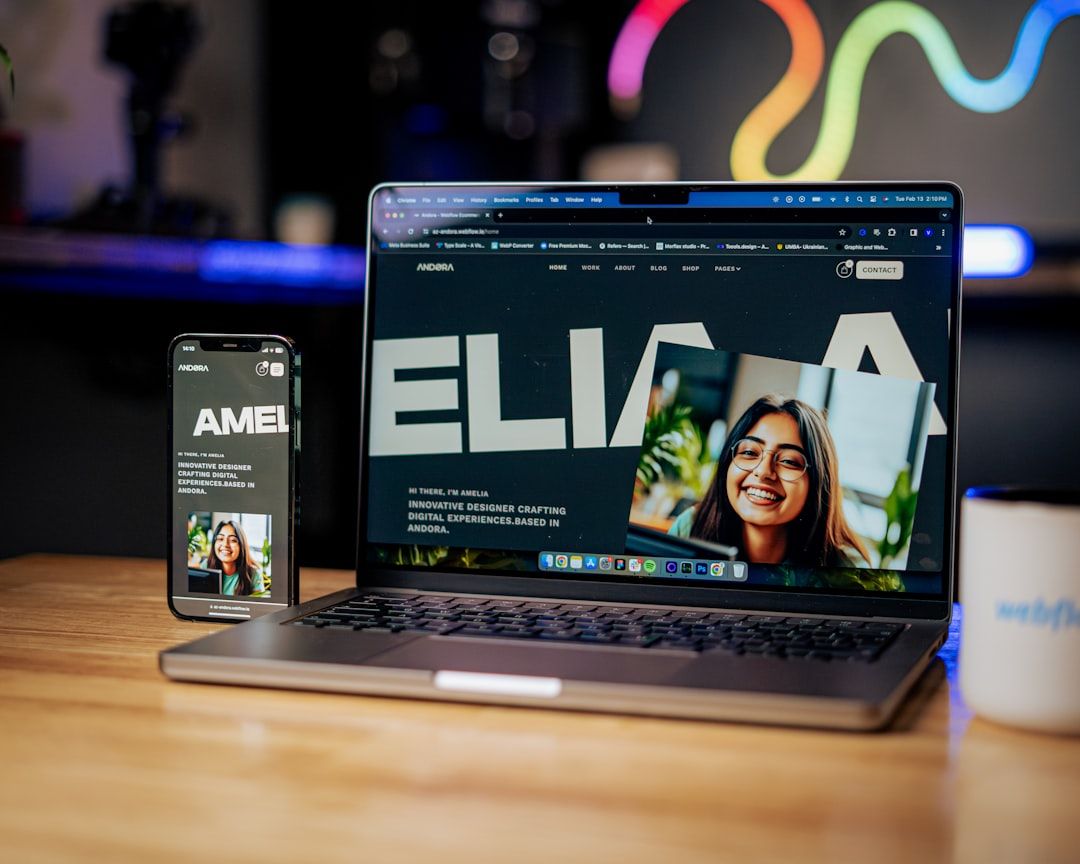
Webflow sits in an interesting position in 2026. It's no longer the automatic choice for no-code website building — Framer has taken the top position for designer-built sites, and many developers prefer building in Next.js. But Webflow remains the most capable no-code platform for complex, content-driven websites that need CMS functionality, membership systems, and e-commerce.
The Webflow template ecosystem reflects this maturity. The best free templates are genuinely sophisticated — responsive, well-coded, with clean CMS structure that's actually useful rather than just demonstrative.
Here's what's worth your time.
Understanding Webflow Templates Before You Choose
Webflow sits in an interesting position in 2026.
Template Quality Signals
Not all Webflow templates are created equal. Before using any template, check:
Page load speed: Preview the template, open DevTools, check the network tab. A template that loads in 4+ seconds has performance issues you'll struggle to fix.
CMS structure: If the template uses the Webflow CMS, check that the collections are logically organized and that the fields make sense for your content type.
Mobile responsiveness: Check it on an actual mobile device, not just browser DevTools responsive mode. Webflow's responsive design can look fine in DevTools and break on actual devices.
Update date: Webflow's platform evolves. Templates that haven't been updated in 2+ years may use deprecated features or design patterns.
The Webflow vs. Framer Decision
Before choosing a Webflow template, be confident you're using the right tool:
Choose Webflow when: You need a CMS for dynamic content (blog posts, team members, case studies, products), you need e-commerce, or you need membership functionality.
Choose Framer when: You're building a marketing site or portfolio with mostly static content and want better animation capabilities and simpler setup.
For personal portfolios and simple SaaS landing pages, Framer's free templates are generally a better starting point in 2026. For content-rich sites that need a CMS, Webflow is still the better choice.
The Best Free Webflow Templates in 2026
1. Kapra — Minimal SaaS Landing Page
By: Webflow Team
Category: SaaS / Startup
Pages: 8
CMS: Minimal
Best for: Early-stage SaaS products, startup landing pages, product launches
Kapra is the cleanest free SaaS template in the Webflow marketplace. Minimal typography, ample whitespace, a hero section with product screenshot mockup, a features section, pricing, and a footer. Every section a SaaS landing page needs, nothing it doesn't.
What makes it worth using: The Webflow build quality. Clean class naming (follows BEM-adjacent conventions), proper responsive implementation, and reasonable page load performance. It's a template you can customize without fighting bad underlying code.
Browse Webflow Templates on Mantlr →
2. Brix Templates — The Freelancer's Best Friend
By: Brix Templates
Category: Portfolio / Agency
Pages: 10-15 (varies by template)
CMS: Blog
Best for: Freelancers, creative agencies, design studios
Brix has released multiple free Webflow templates of genuinely high quality — better than most paid templates in other ecosystems. The portfolio templates specifically are well-structured for creative professionals: a homepage with selected work, an about page, individual case study pages connected via CMS, and a contact page.
The CMS structure: Brix's portfolio templates use a Projects collection with fields for title, description, client, category, and rich text content. The CMS structure maps naturally to how most freelancers document their work.
Browse Webflow Templates on Mantlr →
3. Flow — Agency Template With Personality
By: Webflow showcase community
Category: Agency
Pages: 12+
CMS: Blog + Case studies
Best for: Digital agencies, studios, creative consultancies
Flow uses more distinctive typography and layout decisions than most free Webflow templates — this is a template that feels designed, not assembled. The case study structure is well thought out, with good support for showing process work alongside final output.
Browse Webflow Templates on Mantlr →
4. Portfolio Template (Official) — The Safe Starting Point
By: Webflow Team
Category: Portfolio
Pages: 6
CMS: Projects
Best for: Any creative professional building their first Webflow site
Webflow's official portfolio template is maintained by the Webflow team, which means it uses current best practices, works correctly with the latest Webflow features, and receives updates when the platform changes.
It's not the most visually distinctive template. But it has the cleanest underlying code, the most reliable responsive behavior, and the most logical CMS structure of any free portfolio template available.
The recommendation: Use this as a starting point, then customize aggressively. The clean underlying code means your customizations won't fight the template.
Browse Webflow Templates on Mantlr →
5. Relume Free Library — 280+ Components, Not a Template
By: Relume
Category: Component Library
Price: Free (limited) / Paid
Best for: Experienced Webflow users building from components, not from templates
Relume is technically not a template — it's a Webflow component library. 280+ pre-built sections (heroes, features, pricing, testimonials, FAQs, footers) that you can mix and match to build any layout.
The advantage over templates: you're not constrained by the template's assumptions about your content and structure. You assemble the sections that fit your specific needs.
The prerequisite: This approach requires more Webflow experience than starting from a template. If you're new to Webflow, start with a template. If you're comfortable with Webflow's canvas and CMS, Relume's component approach gives you more flexibility.
View Relume Library on Mantlr →
6. Scape — Blog and Content Site Template
By: Community creators
Category: Blog / Content
Pages: 8
CMS: Blog posts
Best for: Content creators, writers, newsletters with web presence
Webflow's CMS is genuinely excellent for content-rich blogs — more flexible than WordPress for design customization, more powerful than Squarespace for collections. Scape is one of the cleanest free blog templates that takes proper advantage of this.
The CMS structure handles categories, tags, author attribution, featured images, and rich text content. The reading experience is carefully designed with appropriate line lengths and comfortable line heights.
Browse Webflow Templates on Mantlr →
7. Startup — Feature-Rich Product Template
By: Webflow Team
Category: Product / SaaS
Pages: 12
CMS: Blog + Case studies
Best for: More established SaaS products with multiple features to communicate, case studies to show
Startup goes deeper than Kapra — more pages, more section variety, CMS-connected blog and case studies. For products past the "we need to exist on the internet" stage and into the "we need to tell a full story" stage, Startup provides the structure.
The Webflow Template Customization That Makes the Biggest Difference
Change the typography first. Before you change colors, before you update copy, before you adjust layout — change the typography.
Most Webflow templates use safe, neutral typefaces (Inter, DM Sans, Poppins). These are fine but they're everywhere. Swapping to a distinctive typeface from Fontshare — Cabinet Grotesk for headings, Satoshi for body — transforms the template from "this is a Webflow template" to "this was designed for this brand."
The typography change takes 15 minutes. The visual impact is significant.
Then change colors (update the CSS variables in the Style Guide section, or in the custom code). Then update the copy. By the time you've changed typography, colors, and copy, the template is unrecognizable as its original self.
Where to Find More Free Webflow Templates
Webflow Marketplace — filter by "Free" and sort by "Most Popular." The most popular free templates have the most users testing and reporting issues, which tends to correlate with better quality.
Webflow Made In Webflow gallery — shows finished sites built in Webflow. Many allow cloning, making this a source of real production-quality templates rather than just demo templates.
Webflow Forum — designers frequently share free templates and cloneable resources in the community forum. Genuinely useful for specific use cases that marketplace templates don't cover.