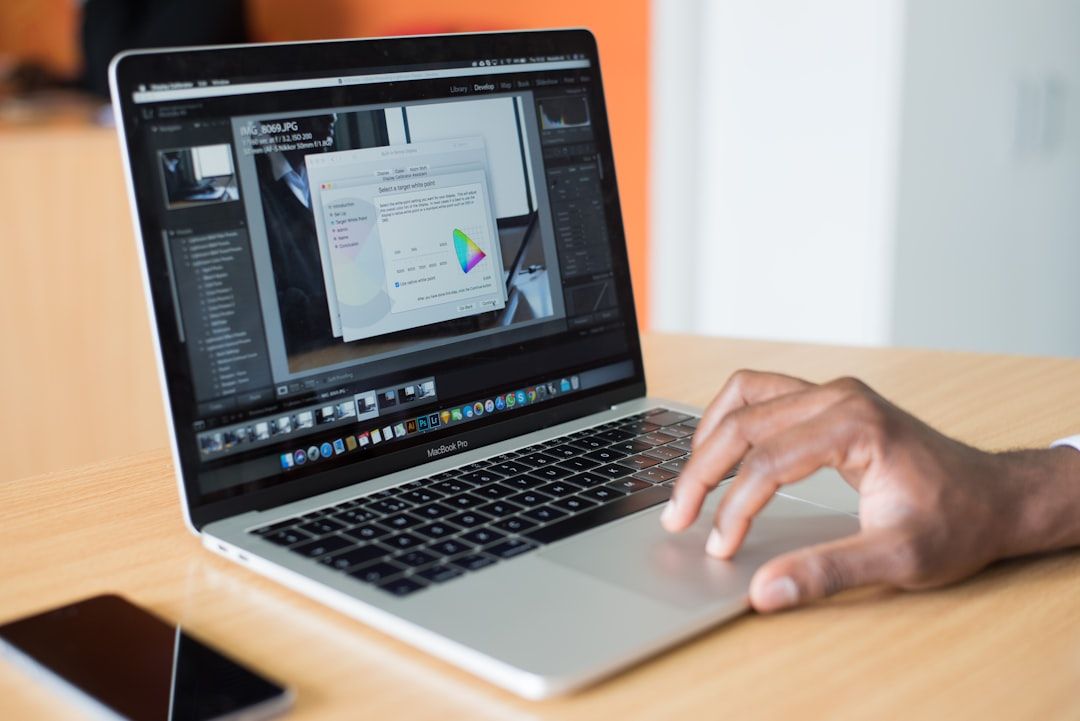
<!--
IMAGE: HERO (cover image, 1600×900)
RENDER: A 16:9 dark-mode flat-style illustration showing a horizontal "designer's desk" composition. Left to right: a laptop displaying a Figma file, a stack of paper case study notes, a printed portfolio layout, a calendar marked "Week 4 — launch." Subtle vertical color bars in the background mark the 6 phases of the build (planning → design → mockups → site → domain → launch). Color palette muted with one accent — vermillion or cobalt. Bottom-left: small label "Zero-budget portfolio build — 2026 stack" in mid-grey.
ALTERNATIVE: A single large laptop screen showing a portfolio site in progress, with browser tabs visible across the top: "Figma", "Framer", "Mockuuups Studio", "Formspree", "Plausible". Dark #0E0F11 background with subtle gradient halo.
FILE: /images/blog/design-portfolio-free-resources-2026-hero.png
ALT TEXT: "How to build a design portfolio with free resources only in 2026 — the complete zero-budget stack from planning to launch"
-->
You need a portfolio site. You do not have money for a custom freelance build, a $300 Webflow template, or a $300/year Squarespace plan. You also do not want a Behance profile that looks like everyone else's Behance profile. The good news: the free design tool stack in 2026 is better than the paid stack was in 2022. You can build a credible portfolio that ranks for your name, hosts real case studies, and looks like it cost money to produce, on a total budget of roughly $12, the cost of a domain name.
This guide is the playbook. The exact free stack, the workflow that takes you from "I need a portfolio" to live site in 3-4 weekends, the case study structure that recruiters actually scan, and the honest budget breakdown of where you cannot avoid spending small amounts of money. No "the free Wix plan is good enough" optimism. No portfolio platform comparisons that ignore custom domain reality. The actual playbook for designers building portfolios in 2026 with effectively zero budget.
A note on the 2026 landscape before the stack. Free tiers tightened across most design tools through 2025 (Figma's free plan still allows 3 personal Figma files, Framer's free plan now caps at 2 pages with Framer.website subdomain, Webflow's free Starter caps at 2 pages with Webflow.io subdomain). Custom domain hosting that does not bury you in subdomain branding requires either $10-15/month builder plans OR going the code-and-Vercel route (genuinely free for portfolio-scale traffic). Both paths are covered below.
Skip to the comparison table for the short version. Read on for the reasoning behind each tool pick.
Everything in this guide is curated on Mantlr — portfolio templates, mockup tools, font resources, and design tools, all in one place with honest reviews.
The complete free portfolio stack at a glance
IMAGE: HERO (cover image, 1600×900)
<!-- IMAGE: stack table preview, alt text: "Complete free portfolio stack 2026 by phase, tool, and where money is unavoidable" -->
| Phase | Free tool | Honest cost | What you skip |
|---|---|---|---|
| Design tool | Figma free / Penpot | $0 | Sketch ($99/yr), Adobe XD ($23/mo) |
| Mockups | Mockuuups Studio free, Shots.so | $0 | Mockup Bundles ($59+) |
| Case studies | Notion / Google Docs | $0 | Premium Notion plans |
| Site builder | Framer free / Webflow free / Notion | $0 (subdomain only) | Squarespace ($16/mo) |
| OR code path | Next.js + Vercel + GitHub | $0 | Custom development ($$$) |
| Custom domain | Namecheap / Cloudflare Registrar | $10-15/year | Premium domain registrars |
| Site hosting | Framer Basic / Webflow Basic / Vercel | $0-15/mo | Managed WordPress hosting |
| Forms | Formspree free / Tally | $0 | Typeform ($25+/mo) |
| Analytics | Plausible Community Edition / GA4 | $0 | Premium analytics suites |
| Stock images | Unsplash / Pexels | $0 | Shutterstock ($29/mo) |
| Fonts | Google Fonts / Fontshare | $0 | Adobe Fonts (CC subscription) |
Total realistic budget for a launched, custom-domain portfolio in 2026: $12/year (the domain) if you go the code+Vercel route, or $132/year ($11/month Framer Basic + $12 domain) if you go the visual builder route. Everything else on this list is genuinely free at the volume a portfolio site needs.
Phase 1: figure out who your portfolio is for
Before any design work, answer one question: who is this portfolio for? The answer changes everything downstream: tool choice, project selection, case study depth, visual style.
If you are job-hunting for full-time design roles: the audience is hiring managers and design leads scanning 50+ portfolios per role. They have 5-10 minutes per portfolio. They want to see 3-5 strong case studies with clear problem definition, your specific role, design decisions, and outcomes. Visual polish matters but structured case study writing matters more.
If you are freelancing or contracting: the audience is potential clients who often are not designers themselves. They want to see work in their industry or adjacent industries, clear deliverables, and proof you can ship to a deadline. Case study depth matters less; visual quality of the final work matters more.
If you are positioning for a specific company or specialization: the audience is even narrower. The portfolio should look like work that company would ship. Three deep case studies in that domain beat ten broad case studies showing range.
The most common mistake is building a generalist portfolio that demonstrates competence across every design discipline (brand identity + mobile UI + editorial + motion + web). Hiring managers filter generalist portfolios out immediately because they cannot tell what you are good at. Pick a focus before you build anything.
Phase 2: pick the design tool you will actually use
You need a design tool for two things: building UI work for the case studies, and (optionally) designing the portfolio site itself before building it.
Figma free tier. Still the default for most working designers in 2026. The free Starter plan allows 3 personal Figma files, unlimited drafts, and 3 FigJam files. For portfolio work, 3 files is the constraint: typically one for the portfolio site design, one or two for case study work. Pro plan jumps to $16/month per editor. For zero-budget portfolio building, the free tier is workable but tight.
Penpot. The open-source alternative that crossed 1 million users in January 2026. Unlimited free files (no 3-file cap), full DTCG design tokens support, MCP server integration for AI-assisted design, and feature parity with Figma's core capabilities. For zero-budget designers, Penpot's no-file-limit is the meaningful advantage over Figma free. The trade-off is smaller community plugin ecosystem and less Stack Overflow / YouTube tutorial coverage. For more detail on what Penpot ships in 2026, see the Penpot templates guide on Mantlr.
Browser-only fallback. If your machine cannot run Figma comfortably or you are working from a school computer, Penpot runs entirely in browser with no install. Figma free tier also works browser-only but the file limit applies.
Pick one. Switching mid-portfolio costs 1-2 days of rework. The right choice for most zero-budget designers is Penpot in 2026 specifically because the unlimited file count removes friction; the right choice if you already know Figma and have file count headroom is staying on Figma.
Phase 3: source the projects that go in the portfolio
You cannot build a portfolio without projects to put in it. The three sources, in order of credibility:
Real client or employer work. If you have any, lead with this. Even a single real shipped project with clear context, your role, and outcomes outweighs five speculative projects.
Friends-and-family / pro-bono work. Local small businesses, friends' side projects, family members who need a logo or a website. The work is real, the deadlines are real, the feedback is real. The trade-off: the brief is often loose and you have to extract the case study yourself. Lead with these if you do not have paid client work.
Speculative (spec) redesigns. Pick a real product you use daily that has a UX or visual problem, define the problem rigorously, and redesign the specific flow that needs improvement. Banking apps, government services, transit apps, and healthcare apps are typical targets because the existing UX is genuinely bad and the redesign brief writes itself. Strong spec work treats the problem seriously: real research (even just user interviews with 3-5 people), real problem definition, real iteration, real reasoning behind every decision. Lazy spec work (pretty Dribbble shots with no context) hurts portfolios more than it helps.
The portfolio target for working designers in 2026: 3-5 case studies for early-career, 4-6 for mid-level, 5-7 for senior. More projects do not strengthen a portfolio. They dilute it. Pick the strongest projects you have and cut the weakest.
Phase 4: write the case studies before designing the site
This is the order most designers get wrong. They build the portfolio site first, then realize they need case studies to fill it, then write the case studies in a rush at the end. The result is a beautifully designed empty container with thin case studies that read as afterthoughts.
The right order: write the case studies first, in plain text, in Notion or Google Docs. Get the writing right. Then design the site around the case studies you have.
The case study structure that works in 2026 (synthesized across UXfolio, Interaction Design Foundation, Toptal, and Semplice's published frameworks):
1. Project title and one-line summary. "Redesign of [Product]: reducing [specific friction] for [specific user]." Specific beats clever.
2. Context. What was the product, what was the problem, who was the user, what was your role, what was the timeline. 2-4 sentences.
3. The challenge. What specific problem you were trying to solve. Real KPIs if you have them (conversion, retention, time-to-task). Constraints (technical, business, timeline).
4. The research. What you learned about the problem before designing. User interviews, analytics, competitive analysis, internal stakeholder input. Even informal user testing with 3-5 people counts.
5. The process. Wireframes, explorations, decision points. The path you took, including paths you tried and abandoned. This is the part recruiters actually read closely.
6. The solution. Final designs with annotations explaining why each decision was made. Before/after comparisons if applicable. Specific design decisions with reasoning, not just pretty screenshots.
7. The outcome. What changed because of the work. Metrics if you have them. Qualitative outcomes if you do not. User feedback. Stakeholder feedback. What you learned.
8. Reflection. What you would do differently, what you learned, what you would explore next. This shows growth, which hiring managers value more than perfection.
Writing rules to follow: keep paragraphs 2-3 sentences max. Use captions on every image. Lead with the most important fact. Write in first person. Do not bury your specific role in team work; explicitly state "my contributions" if it was collaborative.
What to skip: the universal design process diagram (every designer has shown this since 2015 and recruiters are tired of it). The "I followed double diamond" framing (just describe what you actually did). The 2,000-word "my design philosophy" section. The made-up metrics from spec work (recruiters can spot this immediately).
Aim for 800-1,500 words per case study with 60-80% text, 20-40% images. Less than 600 words reads as thin; more than 2,000 reads as padding.
Phase 5: pick the platform and build the site
Three viable zero-budget paths in 2026, each with real trade-offs:
Path A: Framer or Webflow free + paid plan for custom domain
Cost: $10-15/month for the builder + $10-15/year for the domain. Total Year 1: ~$130-180.
Pros: Visual editor (no code needed), polished animations out of the box, CMS for case studies, good performance, decent SEO foundations.
Cons: The "free" tier requires the subdomain (yourname.framer.website or yourname.webflow.io) which signals "template builder" to anyone looking carefully. Custom domain requires paid tier.
Framer's Basic plan is $10/month annual, $15/month monthly, includes free .com on annual since January 2026. Webflow Basic is $15/month annual, $25/month monthly. For more on which Framer template fits your work, see the free Framer templates guide. For Webflow portfolio templates specifically, see the free Webflow portfolio templates guide.
Right for: designers who want a working portfolio in a weekend and value visual editor speed over zero monthly cost.
Path B: Code path (Next.js + Vercel + GitHub)
Cost: $10-15/year for the domain only. Total Year 1: ~$12.
Pros: Genuinely free hosting (Vercel's free tier handles portfolio-scale traffic indefinitely), full control over design and code, best performance, no subdomain branding.
Cons: You need to write code or be comfortable copy-pasting Next.js portfolio templates from GitHub and customizing them. The learning curve is real if you have not built a website before.
The 2026 stack: Next.js 16 + Tailwind CSS v4 + shadcn/ui components (free) + Vercel hosting (free) + GitHub (free) + a domain ($10-15/year). Many open-source Next.js portfolio templates exist on GitHub; clone one, customize the design tokens (color, typography, layout), and deploy via Vercel's GitHub integration.
Right for: designers with even basic web development comfort, designers who want zero monthly cost, designers who want the portfolio itself to demonstrate technical skill.
Path C: Notion portfolio
Cost: $0 for the basic portfolio (notion.so/yourname URL) or $4-10/month for custom domain on Notion. Total Year 1: $0-$120.
Pros: Zero setup time. Strong text formatting for case studies. Easy to update. Embeddable Figma prototypes and videos. Many UX designers in 2026 use Notion portfolios specifically because they prioritize process and research content over polished visuals.
Cons: Less visual impact than purpose-built portfolio platforms. Limited animation and interaction control. Custom domain requires Notion's paid tier or a third-party redirect setup.
Right for: UX-focused designers who want a documentation-style portfolio that prioritizes process and writing over visual presentation. Less right for graphic designers, brand designers, or anyone whose work depends on visual impact.
Phase 6: assemble the rest of the stack
The site needs a few more pieces to work as a real portfolio:
Mockups (for showing UI work in context). Mockuuups Studio's free tier covers basic device mockups (iPhone, MacBook, iPad). Shots.so has a free tier with browser frame mockups. Apple's official design resources include free iOS/macOS frames. Google's Material Design resources include Pixel device frames. For UI work, dropping screens into a device frame is the standard presentation. Avoid screenshots without frames, since they read as unfinished.
Forms (for the contact section). Formspree free tier (50 submissions/month, more than any portfolio needs) handles contact forms without a backend. Tally is the alternative with similar free tier and slightly more form features. Skip Typeform until you can justify $25/month.
Analytics (for understanding what works). Plausible Community Edition is open-source and self-hostable for free, or Google Analytics 4 is free and adequate. Most early-career designers do not need analytics in year one, but the data helps you understand which case studies recruiters actually read.
Stock images (sparingly). Unsplash and Pexels for any photographic imagery you need. For portfolio backgrounds and case study photography, both are free under permissive licenses. Avoid using stock photos as anything other than supporting context: your work, not stock images, should carry the visual weight.
Fonts (for the site typography). Google Fonts is the free default (Inter, Plus Jakarta Sans, IBM Plex Mono, JetBrains Mono are all strong portfolio choices in 2026). Fontshare is the higher-quality free alternative from Indian Type Foundry: Satoshi, Cabinet Grotesk, and Switzer are commonly used in modern portfolios and all genuinely free for commercial use.
Phase 7: pick a domain and launch
The single unavoidable cost: a custom domain. Even on the code path, you want yourname.com, not yourname.vercel.app or yourname.framer.website. The subdomain signals "template builder" or "tutorial project" and undermines the portfolio's credibility.
Domain registrars (2026 honest pricing):
- Cloudflare Registrar. Sells domains at wholesale price (~$9-10/year for
.com). No markup. The cheapest legitimate registrar for.comand.dev. - Namecheap. $9-13/year for
.comfirst year, renews at $14-15/year. Good interface, reasonable support. - Porkbun. $9-11/year for
.com. Strong reputation in indie web circles. - GoDaddy. Avoid. Markup is meaningful, the upsells are aggressive, and the UX is hostile.
For most designers, yourfullname.com if available, yourfullname.design as the modern fallback ($30-40/year, more expensive but signals "designer"), yourfullname.studio for studio-style positioning. Avoid .io ($35-50/year) and .tech unless they specifically fit your positioning.
Connecting the domain. Both Framer and Webflow have one-click domain connection on paid plans. Vercel's domain setup is two DNS records (A/CNAME) that take 5 minutes. For Notion, custom domain requires either Notion's paid tier or a third-party redirect service like Fruition or Super.
Total time from "I want a portfolio" to "live on custom domain" if you follow this guide and have your case studies written: 2-3 weekends. If you skip case study writing and rush to a launched empty container: 1 weekend, but the portfolio will not get you hired.
**Browse more portfolio templates and design resources in the Mantlr directory →**
What changed in 2025-2026 that matters
Three shifts in the portfolio building landscape worth understanding:
AI-augmented portfolios became table stakes for senior roles. Designers building portfolios in 2026 are increasingly adding AI chatbots trained on their case studies (RAG-based, often built with OpenAI or Anthropic APIs), AI-generated case study summaries, or AI-assisted visual exploration documented in the case study process. For early-career portfolios, this is not required. For senior portfolios, the absence of any AI tool fluency starts to read as a gap.
Penpot's free tier outflanked Figma for zero-budget designers. Penpot's unlimited free files (vs Figma's 3-file Starter cap) and native DTCG token support make it the better starting point for designers building portfolios with no budget in 2026. The trade-off is smaller community, but for portfolio-scale work that is acceptable.
Subdomain branding signals "not yet a real designer" more loudly than it used to. Hiring managers and clients in 2026 have seen enough free template portfolios that yoursite.framer.website or yoursite.webflow.io reads as a yellow flag. The $10-15/year domain investment is the smallest credibility upgrade available and the only unavoidable cost.
Frequently asked questions
Can I really build a professional design portfolio with zero budget?
Yes, but with one small unavoidable cost. The genuine zero-cost route uses the code path (Next.js + Vercel + GitHub) which is free at portfolio scale. The remaining cost is the domain at $10-15/year. Total Year 1 budget: roughly $12. All design tools, mockup generators, form handlers, analytics, fonts, and stock images mentioned above have free tiers sufficient for portfolio building. The trade-off is time: the zero-cost path takes more setup time than the $130/year Framer Basic path.
What is the best free design tool for portfolio work in 2026?
Penpot is the strongest zero-budget design tool in 2026 because of unlimited free files (vs Figma free's 3-file cap), native Design Tokens Community Group (DTCG) support, and MCP server integration for AI-assisted workflows. Figma's free tier remains the better choice if you already know Figma and have file count headroom or if you depend on specific Figma plugins. For new designers starting portfolios in 2026, Penpot eliminates the file-count friction that hits Figma free tier users mid-portfolio.
How many case studies should a design portfolio have?
For early-career designers in 2026, 3-5 strong case studies is the target. For mid-level (3-5 years experience), 4-6 case studies. For senior designers, 5-7 case studies covering different problem types. More projects do not strengthen a portfolio; they dilute it. Cut the weakest projects rather than add weak ones to hit a higher count. The recruiter time investment per portfolio is 5-10 minutes total, so concentration on the strongest work matters more than breadth.
Should I use Behance or a custom portfolio site?
Both, with the custom portfolio site as the primary URL. Behance and Dribbble work as discovery channels (job boards, browsing recruiters) but they look like every other Behance and Dribbble profile. A custom domain portfolio at yourname.com is the URL you put on a resume, LinkedIn, and email signature. Most working designers in 2026 maintain a custom site plus selected Behance posts that link back to the custom site. The custom site is the credibility anchor; Behance is the discovery layer.
Is Notion a good platform for a design portfolio?
For UX designers who prioritize process and case study writing over visual polish, yes. Notion portfolios in 2026 are increasingly common and credible, particularly for senior UX roles where the depth of process documentation matters more than visual flourish. For graphic designers, brand designers, illustrators, or any designer where visual impact carries the work, Notion is the wrong platform. The text-forward documentation format does not let visual work breathe the way a purpose-built portfolio site does.
Do I need a custom domain for my portfolio?
Yes, for any serious portfolio. The $10-15/year cost is the smallest credibility upgrade available and the one unavoidable expense in the otherwise zero-budget stack. Subdomain URLs (yourname.framer.website, yourname.webflow.io, yourname.vercel.app, yourname.notion.site) signal "template builder" or "not committed to this work" to hiring managers in 2026. The domain is the credibility anchor and should be the first dollars you spend on the portfolio.
What is the best free portfolio template for designers?
For Webflow, Solveig is the strongest free portfolio template in 2026 (multi-page architecture with CMS-backed case studies, polished visual treatment, MIT-licensed). For Framer, Blocks (Framer's official component kit) plus a few hours of assembly outperforms any fixed template. For the code path, open-source Next.js portfolio templates on GitHub (search "next.js portfolio template") give the most customization control. See the free Webflow portfolio templates guide and free Framer templates guide for detailed reviews.
How long should it take to build a portfolio from scratch?
If you have case studies already written, 2-3 weekends of focused work. If you need to write 3-5 case studies from existing project work, add 1-2 weekends per case study (case studies are the slow part, not the site build). For designers starting from zero (no design tool knowledge, no case studies, no projects), budget 6-10 weekends total spread across 2-3 months. Most portfolio failure is not technical; it is the case study writing that designers procrastinate on.
Where to go from here
Open Penpot or Figma and write the first case study today, in plain text, before touching design. Set a timer for 90 minutes. Write the project title, context, challenge, research, process, solution, outcome, and reflection from one of your existing projects. The case study writing is the bottleneck for most portfolios: not the design, not the platform, not the domain.
If that case study takes the full 90 minutes and produces 800-1,200 words of genuinely useful content, you are on track. Repeat for two more projects, then start building the portfolio site around the three completed case studies. The site design becomes obvious once the case studies exist.
If the case study writing feels stuck after 30 minutes, the project itself is probably too thin for a portfolio case study. Move to a different project. Not every project deserves a case study: better to cut a weak one than ship a portfolio padded with thin work.
Discovering more portfolio and design resources on Mantlr
Mantlr curates every portfolio tool, template, and resource worth knowing — one place instead of ten different searches:
- **Portfolio Resources on Mantlr**: every free portfolio template, mockup tool, and resource reviewed by the Mantlr team.
- **Best Free Webflow Templates for Portfolios in 2026**: if you are going the Webflow visual-builder route, the verified free template picks.
- **Best Free Framer Templates for SaaS Startups in 2026**: Framer-specific guidance including the Blocks UI kit for build-your-own portfolios.
- **Free Penpot Templates for UI Design in 2026**: UI design tool deeper context for the Penpot design path.
- **Free Design System Resources Every Team Needs in 2026**: the design system foundations underneath modern portfolio site builds.
Your portfolio is the most important design work you'll do this year. Mantlr curates 500+ design resources — templates, tools, UI kits, and mockup generators — hand-picked so you spend time building, not searching.
Sources and methodology
Research conducted May 2026. Case study structure synthesized from UXfolio's "The Ultimate UX Case Study Template & Structure (2026 Guide)" (blog.uxfol.io, April 2026), Interaction Design Foundation's "How to Write UX/UI Design Case Studies" (ixdf.org, March 2026), Toptal's "All About Process: Dissecting Case Study Portfolios" (toptal.com, retrieved May 2026), Semplice's "How to write case studies for your online portfolio" (semplice.com, retrieved May 2026), Tobias van Schneider's "A visual guide to writing portfolio case studies" (medium.com), and Netguru's "How to Create a Case Study in UX and Product Design Portfolio" (netguru.com, January 2026). Portfolio platform pricing verified against Framer (framer.com/pricing), Webflow (webflow.com/pricing), and Notion (notion.com/pricing), all retrieved May 2026. Domain registrar pricing verified against Cloudflare Registrar (cloudflare.com/products/registrar), Namecheap, and Porkbun pricing pages, retrieved May 2026. Free tier design tool details verified against Figma's pricing page (figma.com/pricing) and Penpot's documentation (penpot.app), retrieved May 2026. Workflow and "zero budget" methodology informed by UrduPure's "How to Build a Stunning Design Portfolio With Zero Budget in 2026" (urdupure.com, May 2026), Path Unbound's "The Ultimate Guide to UI/UX Design Portfolios & Case Studies" (pathunbound.com, March 2026), and UX Pilot's "12 Best Product Design Portfolios Analyzed for UX" (uxpilot.ai, January 2026).
About Mantlr
Mantlr is a hand-picked directory of design tools, UI kits, templates, and resources for working designers and developers. Every resource is reviewed before listing. We publish weekly guides on the tools designers actually use to ship.