<!--
IMAGE: HERO (cover image, 1600×900)
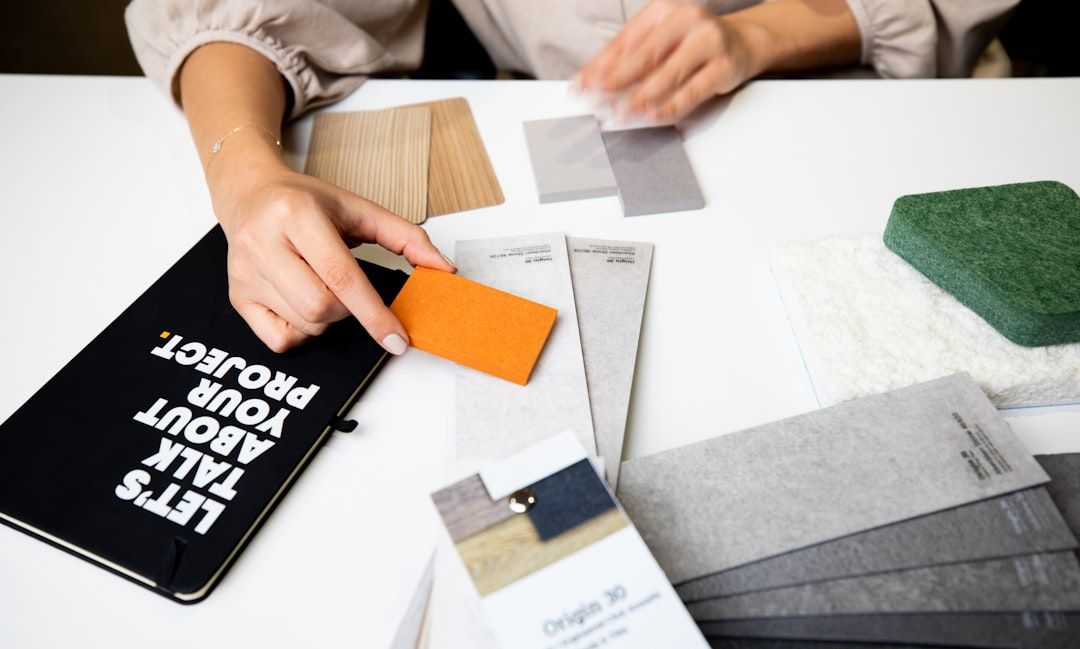
RENDER: A 16:9 dark-mode composition on #0E0F11 background showing 5 horizontal swatches of OKLCH color steps, each row representing a different workflow: (1) "Generate from scratch" with a vibrant 5-color row (Coolors-style), (2) "Extract from image" with a desaturated photo-derived row, (3) "Accessibility-first" with high-contrast text-on-background pairings showing contrast ratios, (4) "Design system" with a 12-step OKLCH ladder from light to dark, (5) "AI-driven" with semantic-tagged colors (primary/accent/surface). Each row labeled with workflow name on the left. Thin 1px #1F2024 dividers between rows. Bottom-left: small label "5 workflows. OKLCH-ready. — 2026" in mid-grey.
ALTERNATIVE: A single wide OKLCH gradient strip showing perceptual uniformity (consistent perceived brightness across hues), labeled "OKLCH: the color space behind modern design systems" with a small grid of 5 tool logos underneath (Coolors, Adobe Color, Stark, Huetone, Khroma).
FILE: /images/blog/free-color-palette-tools-2026-hero.png
ALT TEXT: "Free color palette tools designers actually use in 2026 — generation, image extraction, accessibility, design system, and AI workflows with OKLCH color space support"
-->
You are picking colors for a new product, a brand refresh, a marketing landing page, or a design system. You open Coolors, press spacebar a few dozen times, and stop on a palette that looks pretty in the swatches. You drop it into Figma and immediately notice the secondary blue looks muddy next to the primary green even though their HSL lightness values are identical. You check contrast and the body text on the brand-accent background fails WCAG. You start over. This is the most common color workflow in 2026, and it is the workflow most "best color palette tools" listicles still optimize for despite the entire field having moved past it.
This guide is the post-2026 version. The free color palette tools that working designers actually use, organized by what you are trying to do with color: generate fresh palettes, extract from images, design for accessibility, build design system tokens, or layer AI-driven personalization on top. Every tool named with the workflow it serves, the OKLCH support (or lack of it), and where the 2026 best practice has moved past tools that the SERP still ranks #1.
A note on the 2026 color landscape before the list. The biggest shift in color tooling since 2022 is OKLCH replacing HSL for design system work. Linear, Stripe, Tailwind CSS, and other modern systems use OKLCH because HSL is mathematically flawed: HSL blue at 50% lightness looks much darker than HSL yellow at 50% lightness. OKLCH is perceptually uniform (same lightness number, same perceived brightness, regardless of hue), which makes automated theming, predictable contrast, and accessible-by-default palette generation possible for the first time. AI palette generation became table stakes in 2026; every major tool has an AI mode and the differentiator is what happens after generation (export quality, accessibility integration, contextual preview). Accessibility moved from "audit after" to "input upfront": modern tools let you set WCAG requirements before generating rather than testing after.
Skip to the comparison table for the short version. Read on for the reasoning behind each pick.
All color tools in this guide are curated on Mantlr — with OKLCH support, accessibility integration, and honest workflow guidance.
Free color palette tools at a glance
IMAGE: HERO (cover image, 1600×900)
<!-- IMAGE: comparison table preview, alt text: "Free color palette tools 2026 comparison by workflow, OKLCH support, accessibility integration, and license" -->
| Workflow | Best tool | OKLCH support | Accessibility | License |
|---|---|---|---|---|
| Generate from scratch | Coolors | Via export only | Contrast checker built in | Free + Pro tier |
| Color theory + harmony | Adobe Color | No (HSL/RGB) | Accessibility tools included | Free with Adobe ID |
| Curated inspiration | Color Hunt | No | None | Free, no signup |
| Extract from image | Coolors Image Picker | Via export | Manual | Free |
| Extract from image (advanced) | ColorKit | Yes (export) | WCAG checker | Free |
| Image extraction (Figma) | Image Palette plugin | Manual | Manual | Free with Figma |
| Accessibility-first generation | Huetone | Native OKLCH | Built-in WCAG + APCA | Free, open source |
| Accessibility audit | Stark (free tier) | Reads any input | Comprehensive WCAG 2.2 | Free + Pro tier |
| Quick contrast check | WebAIM Contrast Checker | No (HEX/RGB) | WCAG 2.1 + 2.2 | Free, web-based |
| OKLCH-native picker | OKLCH Color Picker | Native | Built-in | Free, open source |
| Design system palette | Radix Colors | Internal OKLCH-derived | WCAG-tuned by default | Free, MIT |
| AI palette generation | Khroma | No | Manual | Free with account |
| AI palette generation (system-aware) | Huemint | Limited | Manual | Free |
All tools have free tiers usable for commercial work. Color palettes themselves cannot be copyrighted; the tools' licenses cover the software, not the colors generated. Always verify the specific tool's license before commercial deployment of any non-color asset (logos, illustrations).
How to read this list: pick the workflow first, then the tool
Before the tools, the framework. Color palette work in 2026 splits into five distinct workflows, each with different requirements:
Generate from scratch. You start with no reference and need a palette. The tool gives you randomness + the option to lock colors you like. Speed matters; accessibility checking is a secondary feature.
Extract from image. You have a photo, a brand reference, a piece of art, or a mood board and need to derive a palette from it. Image-to-palette algorithm quality matters; tool-specific export formats matter.
Design for accessibility. You start with accessibility requirements (WCAG 2.2 AA or AAA, specific contrast ratios for text and UI elements) and generate palettes that meet them. Contrast math is the primary feature; visual variation is secondary.
Build design system tokens. You need a palette that ships as DTCG tokens, exports cleanly to Figma variables and CSS custom properties, and supports light/dark mode programmatically. Token export and OKLCH (or OKLab) support are essential.
AI-driven palette generation. You train a model on your color preferences or upload references, and AI generates palettes matched to your taste. Quality of the AI model and personalization mechanics matter; consistency over time matters.
Pick the workflow first. A tool optimized for AI generation underperforms a dedicated accessibility tool when your job is WCAG compliance. A tool optimized for image extraction wastes time when you are building a design system that needs OKLCH token export.
Generate from scratch
The fastest path to a working palette when you have no starting reference.
1. Coolors
Best for: Speed, designers who need a palette in five minutes | Workflow: Generate from scratch | OKLCH: Via export, not native generation | License: Free web tier, Pro $3/month for export and offline
Coolors is the default tool most designers reach for and the fastest workflow in the category. Press spacebar to generate a fresh five-color palette. Lock the colors you like. Press spacebar until the rest fit. Repeat. The keyboard-driven loop produces a working palette in under five minutes for most projects.
What makes Coolors the right starting point in 2026: the integrated contrast checker tells you immediately whether your text colors meet WCAG against your background colors. The browser extension extracts palettes from any web image. Export to Figma, Adobe, CSS, and SVG covers most handoff needs. The free tier handles most workflows; Pro at $3/month adds offline use, palette collaboration, and bulk export.
Where it falls short for 2026 systems work: Coolors generates in HSL under the hood. The exported palettes can be converted to OKLCH, but the generation logic does not use OKLCH's perceptual uniformity. For design systems where you need a programmatic light-to-dark color ladder with consistent perceived brightness across hues, Coolors is the wrong primary tool: use Huetone or Radix Colors instead and use Coolors for exploration only.
2. Adobe Color
Best for: Color theory and harmony rules, Adobe Creative Cloud ecosystem | Workflow: Generate from scratch with structure | OKLCH: No (HSL and RGB based) | License: Free with Adobe ID
Adobe Color (formerly Adobe Kuler) is the tool to reach for when you need precision and structured color relationships. The color wheel lets you apply classic harmony rules (complementary, analogous, triadic, split-complementary, tetradic, monochromatic) that most generators skip. The interface gives you precise control over each hue, saturation, and brightness value with millisecond-level visual feedback.
What makes Adobe Color the right pick for structured color theory work: the harmony rules are correctly implemented and the color wheel feedback is faster than alternative tools. The accessibility tools (color blind safe, contrast checker, alpha contrast) are integrated rather than bolted on. For designers working through Adobe Creative Cloud and exporting to Photoshop or Illustrator, Adobe Color is the smoothest path.
Where it falls short: Adobe Color does not support OKLCH for generation or export. The required Adobe account is friction for designers who do not otherwise use Creative Cloud. The interface is less keyboard-driven than Coolors, which means slower exploration.
3. Color Hunt
Best for: Curated palette inspiration, browsing rather than generating | Workflow: Inspiration before generation | OKLCH: No | License: Free, no signup required
Color Hunt is a curated gallery of palettes uploaded and voted on by designers. Browse by trending, popular, or random. Filter by color (warm, cold, bright, pastel, retro, vintage). Save palettes you like to a private collection. The library has thousands of palettes and grows daily.
What makes Color Hunt useful even in the era of AI generation: human-curated palettes carry taste and context that AI generation lacks. Browsing 30 palettes in a category gives you faster grounding in "what does a modern pastel palette look like" than generating 30 random palettes. For mood-board work and pre-generation grounding, Color Hunt is the strongest free inspiration source in 2026.
Where it falls short: not a generation tool. You browse and copy hex codes; you do not generate new palettes. No accessibility integration. The visual style of curated palettes skews toward 2022-2024 aesthetic trends, which can date your work if you copy too literally.
Extract from image
When you have a photo, brand reference, or visual mood and need to derive a palette from it.
4. Coolors Image Picker
Best for: Quick image-to-palette extraction inside the Coolors workflow | Workflow: Image extraction | OKLCH: Via export | License: Free with Coolors web
Coolors' image extraction tool takes any uploaded image and extracts a 5-color palette automatically. The algorithm picks dominant colors with reasonable hue separation, which produces usable palettes from photography and brand references in seconds. You can then refine the palette using the standard Coolors generation tools.
What makes it the right pick over standalone image-to-palette tools: integrated workflow. You extract from image, refine using spacebar generation, check contrast, export, all in one tool. The friction cost of moving between separate image extraction and palette refinement tools is real.
5. ColorKit
Best for: Advanced image extraction with format options | Workflow: Image extraction with technical control | OKLCH: Via export | License: Free
ColorKit is the image extraction tool that gives you control over the extraction algorithm (number of colors, dominance threshold, hue separation). The browser-based extractor processes images instantly without uploading to a server, which means privacy and speed both win.
What makes ColorKit the right pick over Coolors Image Picker for some workflows: the extraction quality is more configurable. For brand work where you need exactly 8 colors with specific hue spread, ColorKit's controls beat Coolors' fixed 5-color output. The export options include CSS variables, JSON, ASE, and Figma-compatible formats.
Where it falls short: lacks the integrated generation workflow Coolors provides. After extraction, you typically move to another tool to refine the palette.
6. Image Palette plugin (Figma)
Best for: Designers extracting palettes inside Figma without leaving the tool | Workflow: Image extraction in design context | OKLCH: Manual conversion | License: Free with Figma account
The Image Palette plugin runs inside Figma and extracts color palettes from any image on the canvas. Select an image, run the plugin, and a palette is generated as Figma color styles or variables you can apply directly to layers. The friction cost is zero: you never leave Figma.
What makes it the right pick: the workflow is in-context. When you are designing in Figma and need a palette derived from a hero image or brand reference, the plugin produces results faster than uploading the image to an external tool. For the broader Figma plugin stack including this and other workflow plugins, see the free Figma plugins guide on Mantlr.
Accessibility-first generation
The 2026 best practice is setting accessibility requirements before generating, not auditing after. These tools start with WCAG compliance as the input.
7. Huetone
Best for: Design systems, accessibility-first palette generation, dark and light mode parity | Workflow: Accessible palette generation | OKLCH: Native (built on OKLab) | License: Free, open source
Huetone is the modern accessible palette generator built on OKLab (the underlying color space of OKLCH) from the start. You define your hue values and Huetone generates a perceptually uniform color ladder, typically 10-12 steps from lightest to darkest, that maintains consistent perceived brightness across all hues. The tool computes WCAG contrast ratios automatically and flags steps that fail.
What makes Huetone the right pick for design system work: programmatic light-to-dark color steps that actually look perceptually uniform. In HSL-based tools, your "blue-500" looks visibly darker than your "yellow-500" even though their lightness values match. In Huetone, the perceived brightness is identical because OKLab handles the perceptual math. This is the foundation for accessible-by-default design systems.
Where it falls short: more technical than Coolors. The learning curve is real if you are coming from HSL-based generation. For one-off marketing-page palettes, Huetone is overkill; for systematic design work, it is the right tool.
8. Stark (free tier)
Best for: Accessibility audits in Figma, contrast checking, color blindness simulation | Workflow: Validate existing palettes against WCAG | OKLCH: Reads any input format | License: Free tier covers core checks; Pro at $60-144/year unlocks team features
Stark is the most comprehensive accessibility plugin for Figma. The free tier handles contrast checking against WCAG 2.1 and 2.2, color blindness simulation (deuteranopia, protanopia, tritanopia, achromatopsia), and alpha-channel contrast for transparent overlays. The integration with Figma means you check accessibility on the actual designs, not on hex codes in isolation.
What makes Stark the right pick: the vision simulation feature. Seeing your design through the eyes of someone with deuteranopia changes how you think about color hierarchy faster than any contrast ratio number. For more on Stark in the broader Figma plugin context, see the free Figma plugins guide on Mantlr.
9. WebAIM Contrast Checker
Best for: Quick web-based contrast checks, validating specific color pairs | Workflow: Validate two colors against WCAG | OKLCH: No (HEX/RGB) | License: Free, web-based, no signup
WebAIM's Contrast Checker is the canonical free contrast tool for the web. Enter foreground and background colors. The tool returns the contrast ratio and pass/fail status for WCAG 2.1 AA (4.5:1 normal text, 3:1 large text), AAA (7:1 normal text, 4.5:1 large text), and graphical/UI components (3:1).
What makes WebAIM useful even with tool integration in modern alternatives: speed and trust. For a quick "does this combination pass" check, WebAIM is faster than opening a Figma plugin. The tool is maintained by the WebAIM organization at the Center for Persons with Disabilities at Utah State University, which means it is treated as authoritative in accessibility documentation across the web.
10. OKLCH Color Picker
Best for: Working directly in OKLCH color space, generating perceptually uniform palettes | Workflow: OKLCH-native palette work | OKLCH: Native (the primary feature) | License: Free, open source
The OKLCH Color Picker is the tool for designers and developers actually working in OKLCH. The interface shows Lightness, Chroma, and Hue sliders with real-time preview and the OKLCH CSS string ready to copy. The tool also exposes P3 wide gamut support and Rec2020, with fallback colors for displays that cannot render the full gamut.
What makes it the right pick: this is the workflow tool for the 2026 color space transition. Older HSL-based palette tools require manual OKLCH conversion if you want your design tokens in OKLCH. The OKLCH Color Picker works in OKLCH from the start.
Where it falls short: less polished interface than Coolors or Adobe Color. The tool prioritizes correctness over visual flourish. For learning OKLCH, this is the right starting point; for daily palette work, you typically use it alongside another tool for harmony exploration.
Design system palette
When you need palettes that ship as design tokens.
11. Radix Colors
Best for: Production design systems, WCAG-tuned palettes for product UI | Workflow: Design system color foundation | OKLCH: Internal OKLCH-derived steps | License: Free, MIT licensed
Radix Colors is the open-source color system from the team that built Radix UI Primitives. It ships 30+ palettes (gray, mauve, slate, olive, red, orange, yellow, green, blue, purple, etc.) each with 12 perceptually uniform steps designed for product UI: backgrounds, hover/focus states, borders, solid backgrounds, hover/focus solid backgrounds, and text. Every step is tuned for WCAG contrast against expected pairings.
What makes Radix Colors the right pick over building from scratch: the 12-step structure encodes a thousand small decisions about contrast, hover/focus states, and dark mode parity. Building a similar system yourself takes weeks; using Radix Colors takes 10 minutes. The MIT license means free for commercial use without attribution.
Where it falls short: opinionated. The 12-step structure works for typical product UI (apps, dashboards, SaaS) but does not adapt cleanly to brand-heavy marketing work or print design. For systems work, Radix is the strongest free starting point; for brand work, you typically start elsewhere and convert later. For the broader design system context, see the free design system resources guide on Mantlr.
AI palette generation
AI generation is table stakes in 2026; every major tool has an AI mode. The differentiator is what happens after generation.
12. Khroma
Best for: AI palette generation trained on personal preferences | Workflow: Train-then-generate | OKLCH: No | License: Free with account
Khroma is the AI palette generator that trains on your color preferences. You start by selecting 50 colors you like from a curated set. Khroma builds a model of your taste and generates an infinite stream of palettes matched to it. Lock colors, filter by hue, save to a library.
What makes Khroma genuinely useful: the personalization. Generic AI palette generators produce statistically average results. Khroma's training mechanism means the palettes look like what you would have picked yourself, just generated faster. For brand work where consistent designer taste matters across many projects, Khroma is the strongest AI-driven tool.
Where it falls short: training time. The initial 50-color training takes 10-15 minutes and the model is per-account, so switching accounts means retraining. No OKLCH support. No accessibility integration; you check contrast separately.
13. Huemint
Best for: AI palette generation with context (logo, web design, brand) | Workflow: Context-aware AI generation | OKLCH: Limited | License: Free with attribution; paid tier removes limits
Huemint generates palettes with awareness of the design context. Select "web design," "logo," "illustration," "interior," etc., and the AI model adjusts its output for that domain. The web design context, for example, generates palettes with clear primary/accent/neutral roles and reasonable hue separation for UI use.
What makes Huemint different from generic AI generators: the contextual awareness produces palettes that feel deliberate rather than random. The free tier covers most exploration needs; the paid tier ($5-15/month depending on plan) unlocks higher rate limits and removes attribution.
Where it falls short: limited OKLCH support; the AI model works in standard color spaces. For systems-grade output, pair Huemint generation with manual conversion to OKLCH steps via Huetone or the OKLCH Color Picker.
**Browse more color and design system resources in the Mantlr directory →**
What changed in 2025-2026 that matters
Three shifts in color tooling worth understanding because most pre-2025 listicles miss them:
OKLCH replaced HSL for design system work. Linear, Stripe, Tailwind CSS, and other modern systems adopted OKLCH because HSL has a fatal flaw: equal lightness values produce visually unequal brightness across hues. OKLCH (and the underlying OKLab) gives perceptual uniformity, predictable contrast, and P3 wide-gamut support. For systems work in 2026, generating in HSL and converting to OKLCH late is a workflow with hidden bugs; generating in OKLCH from the start eliminates them. Older palette tools that still output HSL exclusively are unsuited for 2026 design system work.
Accessibility moved from audit to input. The 2024 workflow was generate a palette, audit it against WCAG, fix what failed. The 2026 workflow is set WCAG requirements before generating, and only see palettes that already meet them. Huetone, Stark's pre-generation mode, and the OKLCH Color Picker all support this inverted workflow. The result is palettes that ship accessible by default rather than accessibility being a post-hoc constraint that compromises the design.
APCA contrast joined WCAG as a measurement standard. APCA (Accessible Perceptual Contrast Algorithm) is the contrast standard under development for WCAG 3.0 that measures perceptual contrast more accurately than WCAG 2.x's relative luminance math. WCAG 2.2 remains the legal compliance standard in 2026, but many design system teams now check both WCAG and APCA, especially for text rendered at variable sizes or against complex backgrounds. The 2026 best practice is meeting WCAG 2.2 AA minimum and APCA where it produces stricter requirements.
How to actually pick a color tool in 2026
Decision framework based on your workflow:
If you are designing a marketing landing page or single product surface: start with Coolors for fast generation, validate with Stark or WebAIM for contrast, ship. Total time: 30-60 minutes for a working palette.
If you are designing a brand identity from scratch: start with Color Hunt for inspiration grounding, generate with Khroma for personalized AI output, refine with Adobe Color for harmony rules, validate accessibility with Stark. Total time: 2-4 hours for a brand palette.
If you are building a design system with light/dark mode and product UI: start with Huetone or Radix Colors directly. Skip the HSL-based tools entirely; the perceptual uniformity of OKLCH is non-negotiable for systems work at scale. Export tokens in DTCG format. For broader context on the design system stack, see the free design system resources guide.
If you are extracting a palette from a brand reference or photography: use Coolors Image Picker for speed or ColorKit for more extraction control. Refine with another generation tool after extraction.
If you need an accessible palette and accessibility is a strict requirement: use Huetone for generation (it bakes accessibility into the math) or Stark for validation of palettes generated elsewhere. WebAIM Contrast Checker for quick pair validation. Set WCAG requirements as input, not as a post-audit constraint.
If you are designing for technical credibility (Stripe, Linear, Vercel aesthetic): study Radix Colors, the Linear color system, and Tailwind v4 OKLCH palettes. The contemporary technical aesthetic uses OKLCH-derived neutrals with one or two accents at controlled chroma. The "looks like 2026" feeling comes from the underlying OKLCH math, not just the hex values.
The most common color-tool mistake in 2026 is generating a palette in Coolors (HSL-based) and trying to use it directly for design system tokens. The palette looks fine in isolation but produces visible inconsistencies when applied across hover states, dark mode variants, and text-on-color combinations. Either generate in OKLCH from the start (Huetone) or use a system-ready palette (Radix Colors).
Frequently asked questions
What is the best free color palette tool in 2026?
For fast general-purpose generation, Coolors remains the strongest free choice with its keyboard-driven workflow and integrated contrast checker. For design system work where perceptual uniformity matters, Huetone or Radix Colors are the right starting points because they use OKLCH (or OKLab-derived) color math rather than HSL. For AI-driven personalization, Khroma trained on personal preferences produces the strongest free results. For accessibility validation, Stark's free tier and the WebAIM Contrast Checker handle WCAG 2.2 compliance. The "best" tool depends on which of the five workflows (generate / extract / accessibility / system / AI) you are in.
What is OKLCH and why does it matter for color palettes?
OKLCH is a perceptually uniform color space (Lightness, Chroma, Hue) designed by Björn Ottosson in 2020. Unlike HSL, where blue at 50% lightness looks much darker than yellow at 50% lightness, OKLCH gives consistent perceived brightness across all hues at the same lightness value. This makes automated theming, predictable contrast math, and accessible-by-default palette generation possible in ways HSL cannot support. Major 2026 design systems (Linear, Stripe, Tailwind CSS v4, Radix Colors) use OKLCH; older HSL-based tools are increasingly inadequate for production design system work.
Are AI-generated color palettes good enough for production?
For exploration and marketing-page work, yes. For brand identity work and design systems, AI generation is the starting point, not the endpoint. The 2026 best practice is using AI tools (Khroma, Huemint, Coolors AI) to generate 10-20 candidate palettes quickly, then refining the winner manually with attention to brand context, accessibility, and OKLCH conversion. Fully autonomous AI palette generation without human review tends to produce statistically average results that lack the deliberate taste good brand palettes carry.
How do I check if a color palette is accessible?
Use WebAIM's Contrast Checker for quick pair validation (foreground vs background colors against WCAG 2.1 / 2.2 thresholds: 4.5:1 normal text, 3:1 large text and UI). Use Stark's free Figma plugin for accessibility audits against complete designs in context. Use Huetone for accessibility-first generation that bakes WCAG compliance into the palette math from the start. The 2026 best practice is setting accessibility requirements as input before generation rather than auditing after.
What is the difference between WCAG and APCA contrast?
WCAG (Web Content Accessibility Guidelines) 2.2 is the current legal compliance standard for color contrast in 2026, measuring contrast via relative luminance with fixed thresholds (4.5:1 normal text AA, 7:1 AAA, 3:1 large text and UI). APCA (Accessible Perceptual Contrast Algorithm) is the contrast standard being developed for WCAG 3.0 that measures perceptual contrast more accurately, especially for variable font sizes and complex backgrounds. WCAG 2.2 remains the compliance requirement; many design system teams now check both, particularly when WCAG 2.2 passes but APCA flags the combination as visually low-contrast.
Can I use free color palette tools for commercial work?
Yes. Color palettes themselves cannot be copyrighted; the colors you generate or extract are freely usable in commercial projects. The tools' licenses cover the software itself: Coolors free tier allows commercial use of generated palettes, Adobe Color requires only a free Adobe ID, Huetone and Radix Colors are MIT licensed, WebAIM Contrast Checker is freely usable. The exceptions are typically branded asset libraries (logos, illustrations) that some tools include alongside palettes; those carry their own licenses worth verifying separately.
What is the best color tool for design systems specifically?
Radix Colors is the strongest free design system color foundation in 2026 because it ships 30+ pre-built palettes with 12 perceptually uniform steps each, every step tuned for WCAG contrast against expected pairings, and MIT licensing. Huetone is the alternative when you want to build your own palette from scratch with OKLCH foundations. Both are designed for the design system use case where consistency across hover states, dark mode variants, and text-on-color pairings matters. Generic palette tools (Coolors, Adobe Color, Khroma) are not designed for this depth of systems work.
What is the fastest free color palette workflow?
Coolors. Open the site, press spacebar to generate, lock colors you like, press spacebar again until the rest fit, export. From "I need a palette" to "I have a working palette" in under five minutes. For projects where speed matters more than systematic correctness (marketing pages, presentations, social graphics), the Coolors keyboard-driven workflow is the fastest in the category. For systems work, the right tool is slower but produces better long-term results.
Where to go from here
Pick the workflow you are in and use one tool from that workflow this week. Most designers research color tools without actually generating anything. The 2026 free color stack is mature enough that the cost of trying a tool is zero: generate one palette, validate against WCAG, ship it. The discipline that compounds is matching the tool to the workflow rather than defaulting to whichever tool you used last time.
For most working designers in 2026, the default stack is Coolors for fast marketing-page generation, Radix Colors or Huetone for design system work, Stark for accessibility validation, and one AI tool (Khroma or Huemint) for exploration. These five tools cover 80% of color palette work at zero cost.
Discovering more color and design resources on Mantlr
Mantlr curates every color tool sorted by workflow — generation, accessibility, and design system use:
- **Color Tools on Mantlr**: every free and paid color palette tool reviewed by the Mantlr team, sortable by workflow and OKLCH support.
- **Free Design System Resources Every Team Needs in 2026**: the broader design system context where color palettes fit, including DTCG tokens and Style Dictionary.
- **Free Figma Plugins That Replace Paid Tools in 2026**: the Figma plugin stack including Stark, Image Palette, and other color-workflow plugins.
- **Best Free Motion Design Resources for UI Designers in 2026**: the motion design context where color and motion combine for product UI.
Color is the fastest visual decision you make. Make it the right one. Mantlr curates 500+ design resources — color tools, design systems, UI kits, and plugins — hand-picked and verified so you pick the right tool for the right workflow.
Sources and methodology
Research conducted May 2026. Tool selections cross-referenced against Muzli's "Color Palette Tools for Designers in 2026: 18 That Are Actually Useful" (muz.li/blog, February 2026), ManyPixels' "10 Best Color Palette Tools for Designers & Marketers 2026" (manypixels.co, April 2026), and Tool Center's "Coolors vs Adobe Color vs Paletton" comparison (toolcenter.ai, April 2026). OKLCH color space details verified against Evil Martians' "OKLCH in CSS: why we moved from RGB and HSL" (evilmartians.com), Dev.to's "OKLCH and OKLAB Color Spaces in CSS" (dev.to, May 2026), and Nina Torgunakova's "Automatic and Accessible Dynamic Themes With OKLCH" React Advanced 2025 talk (gitnation.com, November 2025). HexPickr's "How to Use OKLCH in CSS 2026 Guide" (hexpickr.com, retrieved May 2026) covered current OKLCH adoption patterns. Radix Colors documentation verified against radix-ui.com/colors (retrieved May 2026). Huetone details from huetone.app and the open-source repository. APCA contrast standard context from the WAI APCA documentation and ongoing WCAG 3.0 working drafts. Coolors, Adobe Color, Khroma, and Huemint feature details verified against their respective official sites, retrieved May 2026.
About Mantlr
Mantlr is a hand-picked directory of design tools, UI kits, templates, and resources for working designers and developers. Every resource is reviewed before listing. We publish weekly guides on the tools designers actually use to ship.