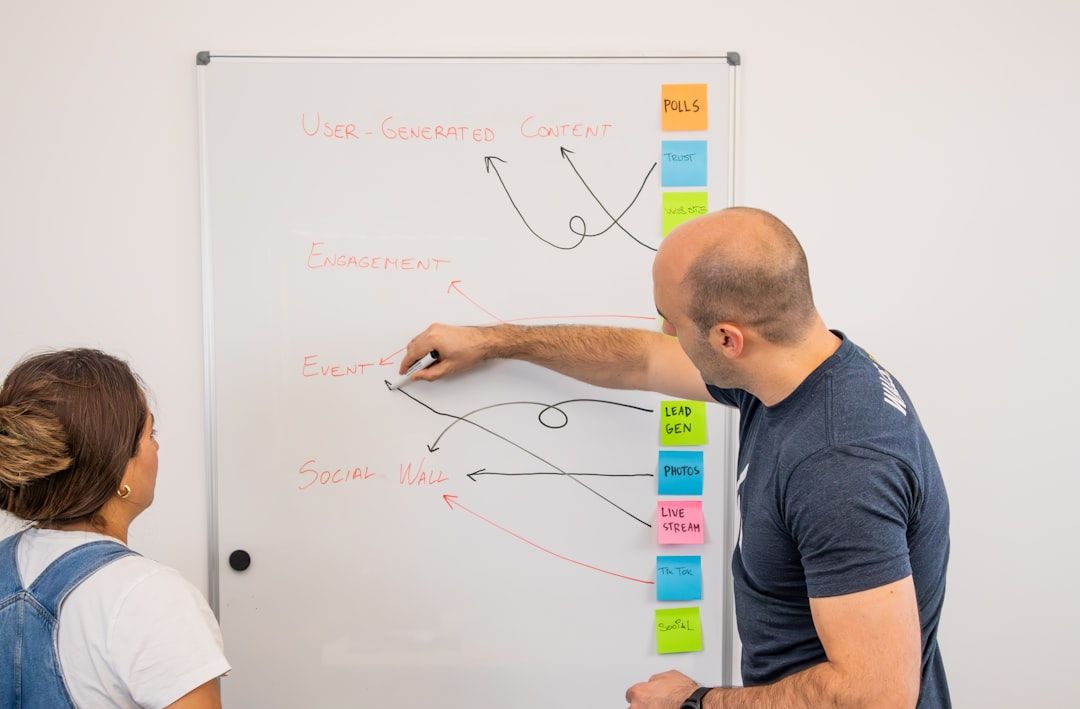
Design handoff in 2022 was a screenshot pasted into Slack, a Figma link, and a prayer. Design handoff in 2026 is unrecognizable. Figma Dev Mode is mature. The Figma MCP server lets AI coding agents read design files directly and generate code with real design context. Code Connect maps Figma components to actual React components in your codebase. Design tokens flow from Figma Variables to Tailwind to native platforms through a single source via the W3C DTCG 2025.10 format. And as of April 17, 2026, Claude Design introduces a new handoff pattern entirely — design tool → Claude Code → production implementation, without the Figma-to-code translation step. None of this existed two years ago in the form it takes today.
This post is the honest state of handoff in 2026. What the new tooling actually does. What's still broken — because plenty is. What to stop doing right now (spoiler: the title of this post). And what a working handoff looks like if you're setting up your process from scratch today. Every tool status verified against primary sources retrieved April 24, 2026. The Windsurf-now-Cognition story, Figma Code to Canvas (February 2026), and Claude Design's launch are all material context you'll need.
TL;DR — Key Takeaways
Design handoff in 2022 was a screenshot pasted into Slack, a Figma link, and a prayer.
- The 2022 handoff workflow is dead. Screenshots in Slack, verbal walkthroughs, manual spec PDFs, and Zeplin-style static export all lose to integrated tooling now.
- The modern stack: Figma Dev Mode + Figma MCP server + Code Connect + design token pipeline + AI coding agents. All five pieces work together; using just one or two leaves value on the table.
- AI coding agents read design context. Cursor, Claude Code, GitHub Copilot, and Windsurf (now part of Cognition after July 2025 acquisition — see the clarification below) are the consumers of the design context produced by MCP and Code Connect.
- Claude Design introduces a new handoff model (April 17, 2026) — the design tool itself outputs an implementation bundle that hands directly to Claude Code, skipping the Figma-to-code translation step entirely.
- Figma's counter: Code to Canvas (February 2026) — convert AI-generated code output back into editable Figma designs, creating a bidirectional loop.
- MCP still has honest failure modes: selection scope issues, codebase patterns the AI misses, component mappings that need manual setup, and edge cases where AI invents things it shouldn't.
- Most teams run a hybrid — MCP for common patterns, manual review for anything complex. Pure automation isn't here yet, and may never be.
- What to stop doing: screenshots in Slack, spec PDFs, verbal "just look at the Figma" walkthroughs, separate maintenance of Figma tokens and code tokens.
The 2022 Workflow (RIP)
Before the state of the art in 2026, a quick memorial for what we're leaving behind.
The 2022 workflow: designer finishes Figma file → designer posts screenshot and Figma link in Slack → engineer opens Figma, clicks around, uses the inspect panel → engineer asks questions back in Slack ("what's the spacing here?", "what happens on hover?") → designer replies, maybe updates Figma → engineer writes code from memory and guesswork → designer reviews PR, files bugs → engineer fixes bugs → weeks of back-and-forth, bugs slip through.
This workflow wastes time, produces inconsistencies, and requires designers to be available for constant context. It's what handoff looked like for years. It's what many teams still do, even in 2026, because changing workflows is harder than tolerating broken ones. Per zeroheight's 2026 Design Systems Report (n≈300), "communication" remains one of the top-cited challenges across design system practitioners — and handoff is where communication breaks most visibly.
What Works in 2026
The stack that defines modern handoff.
Figma Dev Mode
Figma Dev Mode (previously called Inspect) is a developer-focused interface within Figma files. Engineers see CSS values, spacing measurements, component properties, variables in use, and export-ready assets — without design editing tools. The "Ready for Dev" status on frames signals what's cleared for development, so engineers aren't implementing work-in-progress.
Dev Mode on its own is useful. What makes it transformative is the integration with everything else. Available on paid Figma plans.
Figma MCP Server
Launched in beta by Figma in 2025 and now broadly available, the Model Context Protocol (MCP) server lets AI coding tools communicate with Figma programmatically. Instead of giving an AI a screenshot of a design and asking for code, the AI reads the actual design structure — layers, variables, components, layout rules — and generates code with full context.
What this means practically: an engineer using Cursor or Claude Code can select a Figma frame and generate a React component that respects the design system, uses the correct tokens, and matches the design. The AI isn't guessing; it's reading.
Code Connect
Code Connect maps Figma components to real React (or Vue, Angular, Swift, Compose) components in your codebase. When an engineer asks an AI to implement a Figma design, the AI knows that the Button in Figma corresponds to <Button> from your @yourcompany/ui package, and generates code that uses the real component rather than reinventing it.
This is the piece most teams skip and later regret. Without Code Connect, AI-generated code bypasses your design system. With it, AI-generated code uses the system. Per zeroheight's 2026 report, design systems are now in Gartner's "Trough of Disillusionment" partly because AI-generated PRs routinely ignore the component library when Code Connect isn't configured. This is a 2026-native failure mode, and the fix is Code Connect.
Design Token Pipelines
Tokens Studio and Style Dictionary are the two dominant approaches to keeping design tokens synced between Figma and codebase. Tokens Studio manages tokens inside Figma with a GitHub sync; Style Dictionary defines tokens as JSON and generates Figma variables, CSS custom properties, Tailwind config, iOS, and Android from a single source.
The W3C Design Tokens Community Group published the DTCG 2025.10 format spec that standardizes token structure across tools — this is now the default format for cross-tool interoperability. Either approach works; the critical discipline is picking one and eliminating manual double-maintenance of tokens. Manual token sync is the biggest source of Figma-code drift in 2026. Per zeroheight's 2025 data, design tokens hit 84% adoption (up from 56% in 2024), so most teams are now on some pipeline — but many still maintain Figma variables and code tokens separately, which is the drift vector.
AI Coding Agents (and the Windsurf-now-Cognition story)
Cursor, Claude Code, Windsurf (now part of Cognition after the July 14, 2025 acquisition), and GitHub Copilot are the primary AI coding agents consuming design context in 2026. Let me clarify the Windsurf situation because most 2026 writing still treats it as an independent tool:
- Windsurf was acquired by Cognition (maker of Devin) on July 14, 2025 for approximately $250 million (TechCrunch, July 14, 2025). At time of acquisition: $82M ARR, 350+ enterprise customers. 100% of Windsurf employees received fully accelerated vesting.
- Google paid $2.4 billion separately in a reverse-acqui-hire to recruit Windsurf's CEO Varun Mohan, co-founder Douglas Chen, and research leaders into Google DeepMind.
- OpenAI's $3 billion bid for Windsurf expired before both deals closed.
- Windsurf continues as a product under Cognition's brand. Priced at $20/month (matching Cursor) following March 2026 changes. Windsurf 2.0 shipped in 2026 with integrated Devin handoff — you plan locally in Windsurf, then delegate multi-step tasks to Devin running in the cloud.
For handoff purposes: Windsurf still exists as an IDE that can consume Figma MCP context. Cognition has signaled deeper Devin-Windsurf integration through 2026, which may change how Windsurf handles complex handoff scenarios.
The other agents:
- Cursor — the market leader by revenue. Hit $2B ARR in February 2026 per TechCrunch coverage. In advanced talks for a $2B+ funding round at a ~$50B valuation as of April 2026, with an April 21, 2026 xAI deal for potential acquisition at $60B. Native MCP support.
- Claude Code — Anthropic's agentic CLI tool. Integrates with Figma MCP. Handles multi-file codebase edits. Key pair for Claude Design handoff (see below).
- GitHub Copilot — Microsoft-backed, broadest install base among enterprises. Figma MCP support via Copilot Chat.
Each agent reads design context differently. Cursor and Claude Code are the most commonly paired with Figma MCP in 2026 designer-to-developer workflows. Copilot is more common in strict Microsoft-stack enterprises.
Claude Design → Claude Code handoff (the April 2026 new entrant)
Claude Design launched April 17, 2026 as an Anthropic Labs research preview, and introduces a handoff model that skips Figma entirely. The flow:
1. Design in Claude Design — conversational prompt-to-prototype, with the design system extracted from your codebase during onboarding.
2. Claude Design packages an implementation bundle — components, design tokens, copy, interaction notes, and design intent.
3. Hand off directly to Claude Code — which reads the bundle and implements in your actual codebase.
Per Anthropic's launch materials and reports from early users (cited in VentureBeat), this pipeline compressed what Datadog's PM Aneesh Kethini described as "a week-long cycle of briefs, mockups, and review rounds" into a single conversation. Brilliant reported their most complex pages needing 20+ prompts in other tools required only 2 in Claude Design.
This is not a replacement for Figma's MCP pipeline. It's a parallel model that works if you're already in the Claude ecosystem and have a design system extractable from code. For teams with existing Figma workflows, Figma + MCP remains the stronger path. For Claude-native teams or greenfield projects, Claude Design → Claude Code is legitimately a faster pipeline.
Figma Code to Canvas (the February 2026 counter)
Figma shipped Code to Canvas in February 2026 — the reverse direction. It takes code output from AI coding tools (like Claude Code) and converts it back into editable Figma designs. This creates a bidirectional loop: designers can work in Figma, engineers can work in code, and the two representations stay in sync through automated conversion.
This is Figma's direct response to AI design tools that threaten to bypass the Figma canvas entirely. It's also materially useful: when an engineer ships a component that deviates from the design, Code to Canvas lets the designer see what actually shipped back in the canvas, without manual replication.
Adoption as of April 2026 is early. Teams with strong Figma + Code Connect foundations report it "just works"; teams with weaker foundations find the translation lossy. Like all 2026 tooling, output quality depends heavily on the upstream discipline.
What a Modern Handoff Looks Like (the Figma + MCP Path)
Here's what the workflow looks like when the Figma-centered stack is set up properly.
Step 1: Designer finishes work and marks frames "Ready for Dev." This is the explicit handoff signal. It appears in Dev Mode so engineers know what's ready without asking.
Step 2: Engineer opens the file in Dev Mode. They can see spacing, typography, component usage, and exports.
Step 3: Engineer uses their AI coding agent to generate a first draft. In Cursor or Claude Code: select the frame, prompt something like "generate this as a React component using our design system." The AI reads the Figma context via MCP, maps components via Code Connect, and produces an initial implementation.
Step 4: Engineer refines the output. AI-generated first drafts are typically 70-85% of production-ready. The engineer handles edge cases, error states, accessibility refinement, performance optimization, and tests.
Step 5: Engineer commits. Designer reviews the rendered PR. Not the Figma file. The actual rendered component in the real codebase. This is where the handoff actually closes — not back in the design tool, but in the deployed-and-running product.
Step 6: Code to Canvas syncs back (optional but recommended). If the shipped implementation deviates from the original Figma, Code to Canvas converts the code back into a Figma design so the canvas stays current.
Step 7: Design tokens stay synced automatically. Via Style Dictionary or Tokens Studio. No manual "update this color in both places" work.
This workflow works. It isn't theoretical. It's what teams that have set up the stack actually do in 2026.
What a Modern Handoff Looks Like (the Claude Design Path)
Alternative workflow for Claude-native teams or greenfield projects:
Step 1: Designer or founder drafts in Claude Design. Conversational prompt-to-prototype. Design system extracted from codebase (if one exists) or generated fresh.
Step 2: Iterate via chat, inline comments, direct edits, or sliders. Claude Design generates refinement UI in-session.
Step 3: Package implementation bundle. Claude Design exports components, tokens, copy, interaction notes, design intent.
Step 4: Hand off to Claude Code. Claude Code reads the bundle and implements in the real codebase.
Step 5: Review the rendered PR. Same as the Figma path — the handoff closes at the running product.
Step 6 (optional): Export to Canva, PDF, PPTX, HTML, or Figma. Claude Design exports multi-format. Canva integration is native; Figma export is via editable file.
This path works for teams that are Claude-first. For teams with deep Figma investment, the Figma path above is still the stronger choice. Most organizations in 2026 will run both paths depending on the project type.
The Honest Failure Modes
Every vendor pitches the upside. Here's what actually breaks in production.
MCP selection scope issues
The AI agent needs to know what to generate. Selecting a single frame is usually fine. Selecting a full page with twenty nested frames produces confused output. The fix is discipline — prompt at the component level, not the page level, and combine components through code rather than asking the AI to assemble a page in one pass.
Codebase patterns the AI doesn't know about
AI agents read code. They don't read your team's oral history. If your codebase has "we always do X this specific way" conventions that aren't documented, the AI will generate code that doesn't follow them. The fix is CLAUDE.md (for Claude Code), Cursor Rules (for Cursor), and repo-level documentation that encodes your patterns explicitly.
Component mappings that require manual setup
Code Connect doesn't configure itself. Each component in your library needs to be mapped to its Figma counterpart. Most teams start this process excited and plateau around 30-50% coverage. The fix is scheduling: treat component mapping as a standing task for the design system team, not a one-time project.
Edge cases where AI invents things
AI will hallucinate props, invent component variants that don't exist, and produce code that references imports that aren't in your package. The fix is code review discipline — treat AI-generated PRs with the same scrutiny as any PR from a new team member. Trust but verify.
Design token drift
If Figma Variables and code tokens are maintained separately, they drift. The fix is single-source via DTCG 2025.10 format + Style Dictionary or Tokens Studio. See our color systems deep dive for implementation patterns.
Over-reliance on the AI for production
Per METR's November 2024 RCT, senior developers were actually 19% slower with AI tools despite feeling 20% faster. The "AI speeds everything up" framing is selectively true. For junior developers on new codebases: usually yes. For senior developers on familiar code: often the opposite. Plan accordingly.
The Hybrid Reality
Most teams don't go "all AI" or "all manual" for handoff. The realistic 2026 pattern is:
Fully AI-automated: simple components with clear Figma patterns, token-driven styling changes, repeat layouts where the design system is well-covered.
AI-first, human-refined: most new UI work. AI generates first draft, human handles edge cases and polish.
Fully manual: one-off experimental features, anything with external dependencies the AI doesn't know about, critical paths where the cost of AI error is high, animations and motion design where current AI output is still weak.
The hybrid isn't a transitional state; it's probably the steady state. MCP doesn't remove engineers; it shifts what engineers spend time on. Per zeroheight's 2026 Design Systems Report, only 10% of teams actively use AI for design system tasks as of 2025 — a number that will rise in 2026, but not to 100%.
What to Stop Doing Right Now
Five specific practices that worked in 2022 and should be retired in 2026.
Stop: Posting screenshots in Slack
This is the title of the post for a reason. Every screenshot of a design posted in a chat app is a missed opportunity to link to the actual Figma file in Dev Mode. Screenshots become stale the moment the designer updates. Links stay current. The entire "here's a screenshot of the design" culture needs to end.
Stop: Manual spec PDFs
Some teams still produce specification PDFs — detailed documents with measurements, colors, and interaction notes. This work is duplicative: it repeats information already in Figma, and it's stale the moment Figma updates. Dev Mode + MCP makes these obsolete. The time spent on spec PDFs should go to better Figma files instead.
Stop: Zeplin-style static export
Zeplin and similar handoff tools were useful when Figma didn't have Dev Mode. They aren't now. Static snapshots of designs exported to a separate tool introduce a sync problem every time the design changes. Dev Mode serves the same purpose natively.
Stop: Separate maintenance of Figma tokens and code tokens
If your Figma colors and your CSS custom properties are managed in two different places, they will drift. Every team that maintains them separately eventually has the "wait, which is the source of truth?" meeting. The fix is a single source via Tokens Studio or Style Dictionary. Pick one. Commit. Per zeroheight's 2025 data, 84% of teams are using design tokens now — but many are still maintaining them in two places simultaneously.
Stop: Verbal walkthroughs as primary handoff
"Let me walk you through it" as the main handoff mechanism doesn't scale. Engineers miss things. Questions come up after the walkthrough ends. Documentation doesn't exist. Verbal walkthroughs are useful as supplements — for unusual decisions or complex flows — but they shouldn't be the primary channel. Figma + Dev Mode + written documentation should be.
Setting Up the Modern Stack
If you're starting from a 2022-era workflow and want to modernize, here's the sequence.
Month 1: Audit your Figma files. Convert hard-coded colors to variables. Clean up naming conventions. Mark files "Ready for Dev" appropriately. The MCP workflow is only as good as the files it reads, so this foundation matters.
Month 2: Set up design tokens. Choose Style Dictionary or Tokens Studio. Define your color, spacing, and typography tokens as a single source using DTCG 2025.10 format. Generate Figma variables and code tokens from it. Stop maintaining them separately.
Month 3: Enable Dev Mode. Any team on a paid Figma plan can enable Dev Mode. Train engineers on it. Make it the default way they read designs. This alone eliminates 50% of handoff friction.
Month 4: Set up Figma MCP server. Connect one AI coding tool (Cursor or Claude Code is a common starting point). Try it on simple components first. Learn where it works and where it breaks.
Month 5: Configure Code Connect. Map your most-used components. This is ongoing work; start with the top 10-20 components that get reused most. Per zeroheight's research, this is the intervention that most separates healthy design systems from abandoned ones in the AI era.
Month 6: Iterate on CLAUDE.md / Cursor Rules / codebase context files. Document your patterns so AI-generated code follows them. Update as the AI misses things. This is living documentation, not a one-time setup.
(Optional) Month 7+: Evaluate Claude Design and Code to Canvas. If Claude Design fits your team's workflow, the Claude Design → Claude Code pipeline is faster for certain work. If you want bidirectional Figma/code sync, Code to Canvas is worth evaluating.
The order matters. Skipping the Figma foundation (steps 1-3) and jumping straight to MCP produces mediocre results because the AI doesn't have clean context to work with.
What's Next (Beyond 2026)
A few forward-looking observations.
Design-to-deployment loops will get tighter. Today: Figma → AI-generated code → PR → review → merge → deploy. Tomorrow: Figma changes trigger auto-generated PRs, reviewed by designers and engineers collaboratively, with less manual translation at each step. Claude Design + Claude Code is already an early version of this.
Bidirectional sync will normalize. Figma Code to Canvas is the opening move; expect Figma, Claude Design, and v0 to all develop stronger bidirectional sync between design representations and code representations. The end state: the canvas and the code are two views of the same underlying system.
Agentic design tools will mature. Claude Design already operates on full codebases. As these tools improve, the designer's role shifts from making visual artifacts in Figma to defining system behavior that generates both design and code.
Documentation will be AI-generated from implementation. Today we document design systems manually. Tomorrow the documentation is generated from the actual components, Figma mappings, and usage patterns — always current, always accurate.
Windsurf-Cognition integration will produce a new handoff model. Cognition's Devin can plan and execute autonomously. Windsurf can read Figma MCP. The combination — local-agent design-context planning delegated to cloud-agent implementation — is a pattern that doesn't quite exist yet but is visibly forming.
Each of these shifts is within sight. The teams getting ahead are the ones setting up the foundation now.
Frequently Asked Questions
What is Figma Dev Mode?
Figma Dev Mode is a developer-focused interface within Figma files that shows CSS values, spacing measurements, component properties, variables, and export-ready assets. It's designed for engineers implementing designs and doesn't require design editing capabilities. Dev Mode replaces older inspect functionality and third-party handoff tools like Zeplin. It's available on paid Figma plans and is the foundation of the modern handoff workflow. Combined with Figma MCP and Code Connect, it's the 2026 standard.
How does Figma MCP work?
The Figma MCP (Model Context Protocol) server exposes structured design data from Figma files to AI coding tools like Claude Code, Cursor, Windsurf (now part of Cognition), and GitHub Copilot. When an engineer selects a Figma frame and prompts an AI to generate code, the AI can read the actual design structure — layers, variables, components, layout rules — instead of just interpreting a screenshot. This produces code that respects the design system and matches the design much more accurately than screenshot-based approaches.
How do designers and developers hand off in 2026?
The modern workflow: designer marks frames "Ready for Dev" in Figma → engineer opens in Dev Mode → engineer uses AI coding agent (with MCP enabled) to generate first-draft code from the selected frame → engineer refines, handles edge cases, and commits → designer reviews the rendered PR, not the Figma file. Optionally, Figma Code to Canvas syncs the shipped implementation back into the Figma file. Alternatively, for Claude-native teams: Claude Design → Claude Code → production, skipping Figma entirely. Most teams run a hybrid — automated handoff for common patterns, manual for complex work.
Can AI generate code from Figma?
Yes, with caveats. Tools like Figma MCP + Cursor (or Claude Code) can generate React, Vue, or other framework code from Figma designs. The quality is typically 70-85% of production-ready — good enough to accelerate work, not good enough to ship without human review. Quality depends heavily on the upstream Figma file (clean structure, variables used, components registered via Code Connect) and the codebase context provided to the AI (documented patterns, example implementations, linting rules). Per METR's November 2024 RCT, senior developers were 19% slower with AI tools on familiar code despite feeling faster — so the productivity claim deserves calibration.
What is Code Connect?
Code Connect is Figma's feature for mapping Figma components to real code components in your repository. Instead of the AI generating a new button every time it encounters a button in Figma, Code Connect tells it "this Figma button maps to the <Button> component in your codebase — use that." Without Code Connect, AI-generated code tends to bypass existing design systems and create duplicates. With it, AI-generated code reuses your actual system. This is one of the top interventions preventing design system abandonment in the AI era.
What happened to Windsurf?
Windsurf, the AI-powered IDE formerly competing with Cursor, was acquired by Cognition (maker of Devin) on July 14, 2025 for approximately $250 million. The deal included $82M ARR and 350+ enterprise customers. Separately, Google paid $2.4 billion in a reverse-acqui-hire to recruit Windsurf's CEO Varun Mohan, co-founder Douglas Chen, and research leaders into Google DeepMind. OpenAI's $3 billion bid for Windsurf expired before both deals closed. Windsurf continues as a product under Cognition's brand, now priced at $20/month (matching Cursor) following pricing changes in March 2026. Windsurf 2.0 shipped in 2026 with integrated Devin handoff for planning-to-execution workflows.
What is Claude Design's handoff model?
Claude Design (launched April 17, 2026, Anthropic Labs research preview) packages design output as an implementation bundle — components, tokens, copy, interaction notes, design intent — and hands directly to Claude Code for implementation. This skips the Figma-to-code translation step entirely. Brilliant reported their most complex pages needing 20+ prompts in other tools required only 2 in Claude Design, then handed off seamlessly to Claude Code. This is a parallel path to the Figma + MCP workflow, not a replacement. For teams with deep Figma investment, Figma + MCP remains stronger. For Claude-native or greenfield teams, Claude Design → Claude Code is a faster pipeline.
Should I still use Zeplin?
Probably not, unless you're on an old Figma plan that doesn't include Dev Mode, or your team has specific workflow dependencies on Zeplin. For most teams in 2026, Figma Dev Mode does what Zeplin used to do, natively, without the sync issues of exporting to a separate tool. The handoff tooling landscape has consolidated around Figma's integrated approach, with Claude Design emerging as the alternative for Claude-first teams.
How do I measure handoff success?
Useful metrics: PR cycle time for UI changes (should decrease as MCP adoption grows), number of design-related bugs shipped (should decrease), number of back-and-forth rounds per feature (should decrease), designer time spent answering "what's the spacing here?" questions (should decrease toward zero). Anti-metrics: number of Figma file views (vanity), number of components in the library (vanity). Focus on the time from design approval to shipped implementation; that's the bottleneck handoff tooling is meant to reduce.
What is Figma Code to Canvas?
Figma Code to Canvas shipped in February 2026 as Figma's defensive response to AI design tools threatening to bypass the Figma canvas. It converts code output from AI coding tools (like Claude Code) back into editable Figma designs, creating a bidirectional loop. Designers work in Figma, engineers work in code, and the two representations stay in sync through automated conversion. Adoption as of April 2026 is early; output quality depends heavily on Code Connect being properly configured in the source codebase.
For related foundations, read [The Figma File Structure Senior Designers Actually Use](https://mantlr.com/blog/figma-file-structure-senior-designers). For the AI design tool comparison this handoff workflow consumes from, read [Claude Design vs Figma vs Lovable vs v0](https://mantlr.com/blog/claude-design-vs-figma-lovable-v0). For the design systems context that Code Connect lives inside, read [Why Most Design Systems Get Abandoned in 2026](https://mantlr.com/blog/why-design-systems-abandoned). For the token pipeline that anchors everything, see [Color Systems That Scale](https://mantlr.com/blog/color-systems-that-scale) and [The Spacing System Cheat Sheet](https://mantlr.com/blog/spacing-system-cheat-sheet).
Browse Mantlr's curated [Figma resources](https://mantlr.com/categories/figma-resources), [Dev Mode tools](https://mantlr.com/categories), and [design token resources](https://mantlr.com/categories/design-systems) to set up the modern handoff stack.
Primary source references (all retrieved April 24, 2026):
- Figma Dev Mode documentation
- Figma MCP Server introduction
- Figma Code Connect documentation
- Anthropic: Introducing Claude Design (April 17, 2026)
- Anthropic: Model Context Protocol documentation
- TechCrunch: Cognition acquires Windsurf (July 14, 2025)
- Cognition: Acquisition of Windsurf
- W3C Design Tokens Format Module (DTCG 2025.10)
- zeroheight Design Systems Report 2026
- Tokens Studio
- Style Dictionary
- VentureBeat: Claude Design launch
- METR: RCT on AI tools and developer productivity (November 2024)
Methodology note: Tool ownership and capabilities in this post are verified against primary sources retrieved on April 24, 2026. The AI coding agent landscape in particular moves fast — Windsurf's ownership changed three times in 2025 (independent → Google offer → OpenAI bid → Cognition acquisition). Cursor's valuation moved from $9.9B to $29.3B to ~$50B+ in roughly 10 months. Readers setting up a handoff stack should verify current tool status against official documentation before committing.