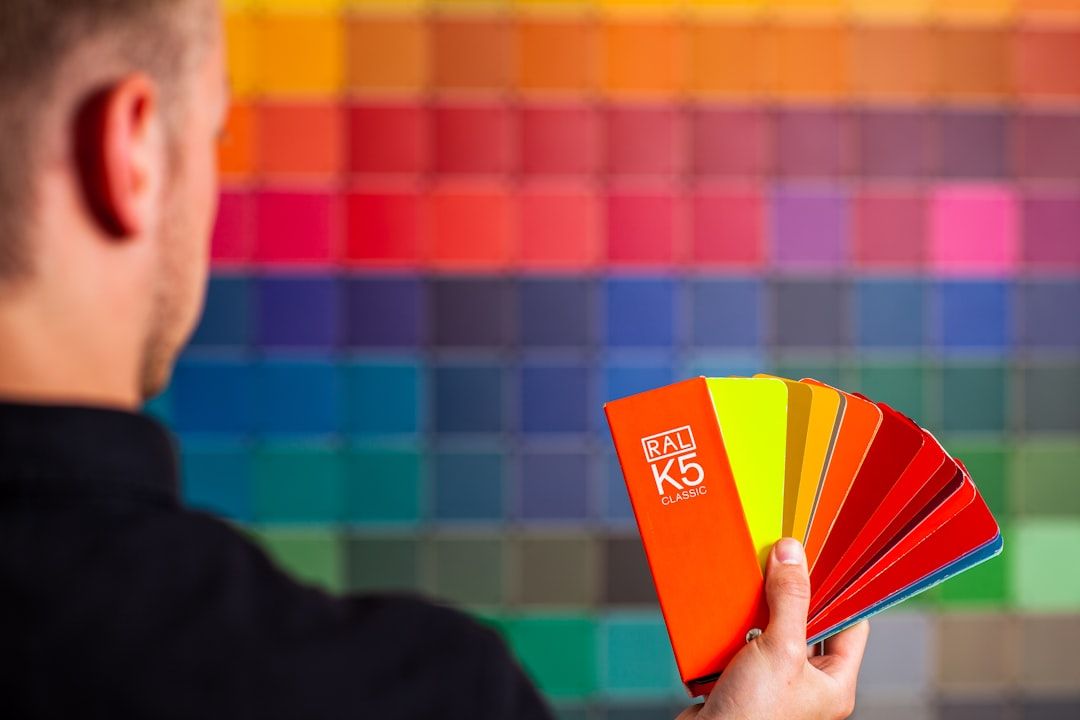
Most color systems look fine until they don't. A 10-component design system with 12 colors feels elegant. The same system at 50 components becomes a minefield of "which blue is this?", semantic tokens that got used as raw tokens, a dark mode that's a second job, and a Figma-to-code drift problem that nobody has time to fix. Color system design isn't about picking nice hex values. It's about picking an architecture that survives growth, theme switching, accessibility audits, and the Figma-to-code pipeline without cracking.
This post is the architecture. What's changed in 2025–2026 — the W3C Design Tokens specification reaching stable in October 2025, OKLCH shipping in all major browsers, Tailwind v4's color rebuild, Radix Colors becoming the de facto reference scale. What "scales to 50+ components" actually means in practice. And the specific traps (raw-vs-semantic collapse, hardcoded hex in tokens, dark mode as afterthought) that kill systems at this scale.
TL;DR — Key Takeaways
Most color systems look fine until they don't.
- Color system ≠ color palette. The palette is the hex values. The system is the architecture that lets a team of 20 use those values without breaking anything.
- The new canon: DTCG 2025.10 + OKLCH primitives + semantic aliases. The W3C Design Tokens Community Group published its first stable spec (Format Module 2025.10) on October 28, 2025. This is the interchange layer going forward.
- Two-tier tokens are the minimum: raw primitives and semantic aliases. Primitives are values (
blue-500). Semantics describe intent (color-bg-brand). Skipping the semantic layer is the single biggest scaling failure. - OKLCH replaces HSL for new systems in 2026. Perceptually uniform lightness, predictable accessibility math, and now shipping in every major browser. Tailwind v4 rebuilt its palette around it.
- Dark mode is a parallel system, not an inverted one. Inverting light-mode values almost always fails. Design both modes against the component, not against the color picker.
- Radix Colors is the best free reference for scale architecture. 12-step scales per hue, APCA-aware contrast, built-in semantic roles. Even if you don't use it directly, study the structure.
- Drift is the enemy. Manual maintenance of Figma colors and code colors is the #1 source of broken systems at scale. One source of truth, one pipeline.
Why Color Systems Break at 50 Components
A small system can tolerate a lot of informal structure. At 5 components, everyone remembers that blue-500 is the primary action color. At 50 components, nobody does, and the system falls into three predictable failure modes.
Failure mode 1: Raw tokens everywhere. When there are no semantic aliases, every component references raw primitives directly. Button uses blue-500. Link uses blue-500. ProgressBar uses blue-500. Six months later, marketing wants a secondary brand variant for campaigns — and there's no way to rebrand without finding every single reference to blue-500 and deciding case-by-case whether it's brand or something else. The semantic intent was never captured.
Failure mode 2: Semantic tokens used as raw tokens. The opposite problem. Someone creates color-brand-primary and starts using it for buttons, links, progress bars, focus rings, brand logos — anywhere a blueish color is needed. When brand changes, everything that was supposed to be neutral interactive blue suddenly changes too. The semantic layer got collapsed.
Failure mode 3: Dark mode as an afterthought. The light-mode palette was built first. Dark mode was added later by inverting values. At 5 components it worked. At 50 it produces dozens of edge cases: grays that have wrong contrast on dark surfaces, brand colors that are illegible on dark backgrounds, shadows that have no analog in dark mode, semi-transparent overlays that change behavior. Dark mode needs to be designed as a parallel system, not derived.
All three are architecture failures, not palette failures. The colors were fine. The structure around them wasn't.
The 2026 Canon: What's Changed Since Your Last System
Three developments in 2025–2026 materially change how systems should be built now.
W3C Design Tokens Format Module 2025.10
On October 28, 2025, the Design Tokens Community Group published the first stable version of its Format Module. The spec defines a JSON-based format for describing tokens — colors, typography, spacing, shadows, everything — in a way that tools can exchange reliably.
For color systems specifically, DTCG 2025.10 standardizes how you describe a color token: the color space (sRGB, display-P3, OKLCH, Lab), the value, alpha, and metadata like description and extensions. Style Dictionary v4+ has first-class support. Tokens Studio exports to the format. Figma Variables can be mapped. The era of proprietary token formats is ending.
If you're starting a system in 2026, target DTCG 2025.10 as your source-of-truth format. If you're modernizing one, start the migration now.
OKLCH in Production
The OKLCH color space is perceptually uniform — meaning a lightness value of 60% looks equally light across all hues, which HSL has never managed. This matters for color systems because it makes automated scale generation, accessibility contrast math, and dark-mode derivation dramatically more predictable.
OKLCH is supported in all modern browsers (Chrome 111+, Safari 15.4+, Firefox 113+ — essentially everywhere as of 2025). Tailwind v4 rebuilt its default palette around OKLCH in January 2025. Radix Colors, Panda CSS, and most serious 2026 systems now use OKLCH as the primitive color space.
The practical implication: if you're defining a blue scale with 12 steps, OKLCH lets you hold hue constant and modulate lightness predictably. In HSL, the same operation produces hue drift — the "my 100 looks purple, my 900 looks green" problem. OKLCH fixes this at the math layer.
Radix Colors as Reference Architecture
Radix Colors by WorkOS is the most complete open-source color system reference as of 2026. Its scale has 12 steps per hue, each with a specific role (step 1 is app background, step 9 is solid brand color, step 11 is low-contrast text, etc.). It's APCA-aware, has native dark mode as a parallel scale, and supports alpha variants.
Most teams don't adopt Radix directly. But every serious system should study it. The role-per-step pattern — where step N is always "border" and step M is always "text high contrast" — is how you build semantic aliases that hold up at scale.
The Two-Tier Token Architecture
The minimum viable architecture for a system that scales to 50+ components has two tiers.
Tier 1: Primitives
Primitives are the raw values. In OKLCH, sRGB, or your chosen color space. Named by what they are, not what they're for.
Primitives are not for components. Components should not reference blue-500 directly. Primitives are the vocabulary from which semantic tokens are built.
Tier 2: Semantic Aliases
Semantics describe intent. Named by what they do, not what they are.
Components reference only semantics. Button uses color-bg-brand. Link uses color-text-link. If you later rebrand from blue to purple, you change the primitive mapping once and the entire system re-themes.
This is the architecture Nathan Curtis has been writing about since 2022 (now at Directed Edges, previously EightShapes), and it's codified in the DTCG spec. It's not optional at scale.
When to Add a Third Tier
At larger scale — multi-brand, multi-product, or white-label systems — a third tier sits between primitives and semantics: brand tokens. Structure becomes:
1. Primitives — raw color scales
2. Brand tokens — brand-specific mappings (brand-primary, brand-accent)
3. Semantic tokens — intent-based, reference brand tokens
Most teams don't need three tiers. Add complexity only when you have a concrete multi-brand or white-label requirement, not speculatively.
Dark Mode as a Parallel System
The single biggest failure mode in dark mode implementations is treating it as "invert light mode." Dark mode is a parallel system with its own rules.
Surface hierarchy inverts, but not linearly. In light mode, the hierarchy is white → light gray → medium gray → dark gray → black. In dark mode, it's near-black → dark gray → medium gray → near-black (elevated surfaces are lighter than the base, not darker). The logic is that elevation in dark mode is implied by becoming more visible, which means lighter.
Saturation typically decreases. A brand color at 80% saturation that feels premium on white looks glaring on near-black. Most production dark modes drop saturation 10-20% to compensate. Radix's dark scales are explicitly desaturated relative to light equivalents.
Contrast math changes because of perceptual curves. WCAG 2.x contrast math (the 4.5:1 and 3:1 ratios) treats all color pairs the same, but human perception of contrast on dark backgrounds is actually different from light. APCA (the algorithm being developed for WCAG 3.0) accounts for this. When designing dark mode, test with APCA in addition to WCAG, especially for text on colored backgrounds.
Semi-transparent overlays behave differently. A rgba(0, 0, 0, 0.5) scrim on a light mode page looks like a shadow. The same scrim in dark mode vanishes. Dark mode needs its own overlay tokens — typically lighter, sometimes white with low alpha for visible overlays.
Connects to the broader dark-mode discussion in Dark Mode Is Harder Than You Think. The short version: design dark-mode palettes against dark-mode components, not by inverting light values.
The Figma-to-Code Drift Problem
At 50 components, manual maintenance of Figma colors and code colors is not sustainable. The second someone changes a value in Figma without updating code, or vice versa, the system is drifting. At 6 months post-launch, drift has accumulated into outright inconsistency.
The fix is a single source of truth with an automated pipeline.
Option 1: DTCG JSON as source of truth. Colors live in a JSON file following the DTCG 2025.10 format. Style Dictionary generates Figma variables, CSS custom properties, Tailwind config, iOS Swift, Android XML, React Native — all from that one JSON. When you change a token, you rebuild all outputs.
Option 2: Figma Variables as source of truth. Colors are defined in Figma Variables. Tokens Studio syncs them to a GitHub repo as JSON. A build step in CI generates the code-side outputs.
Either works. The critical part is picking one and eliminating manual double-maintenance. Drift is the enemy; any process that allows independent editing in two places will fail at scale.
Connects to Design Handoff in 2026 — the token pipeline is the foundation of modern handoff.
What Semantic Tokens You Actually Need
At 50+ components, a useful semantic token vocabulary covers these categories. Adjust naming to your conventions.
Background. bg-app, bg-subtle, bg-surface, bg-surface-raised, bg-surface-overlay, bg-brand, bg-brand-subtle, bg-danger, bg-danger-subtle, bg-success, bg-success-subtle, bg-warning, bg-warning-subtle, bg-info, bg-info-subtle.
Text. text-primary, text-secondary, text-tertiary, text-disabled, text-inverse, text-link, text-link-hover, text-brand, text-danger, text-success, text-warning, text-info, text-on-brand (when on brand backgrounds).
Border. border-subtle, border-default, border-strong, border-focus, border-brand, border-danger, border-success, border-warning.
Interactive state. bg-hover, bg-active, bg-selected, bg-disabled. Sometimes per component (bg-button-primary-hover) when the delta from a generic hover state is meaningful.
This is the minimum for a full-featured design system. Most systems over-tokenize — adding dozens of one-off semantic tokens for specific component states. The discipline is to keep the semantic vocabulary small enough that designers and developers remember it without constant lookup.
Accessibility at Scale
At 50+ components, manual contrast checking breaks down. You need automation.
Every semantic pair should have a target contrast. text-primary on bg-app should hit WCAG AA large text (3:1) minimum, AA normal text (4.5:1) for body. bg-brand paired with text-on-brand should also hit 4.5:1. Define the target per pair.
Automated contrast testing in CI. Tools like Stark, a11y-contrast, or custom scripts can check every semantic token pair against its target on every commit. If a token change breaks accessibility, the build fails.
APCA for the future. WCAG 3.0 (in development, candidate recommendation targeted Q4 2027) replaces the contrast ratio math with APCA — Advanced Perceptual Contrast Algorithm. APCA is more accurate for perception, especially on dark backgrounds and with colored text. Radix Colors is built with APCA in mind. Starting APCA testing now is a safe hedge.
Connects to Accessibility Is Not a Feature — color contrast is one of the most commonly cited issues in ADA lawsuit complaints. Get this right.
Migration: Moving an Existing System to This Architecture
If you already have a system that's straining at 50 components, don't rebuild from scratch. Migrate incrementally.
Phase 1: Audit current usage. Find every color reference across your codebase and Figma. Categorize: raw hex? variable? semantic name? This gives you the map of what needs to change.
Phase 2: Introduce primitives as a layer. Without changing any component, define primitives that match your current values. blue-500 starts pointing to your current primary blue. Nothing visible changes.
Phase 3: Introduce semantics. Add semantic aliases pointing to primitives. Still nothing visible changes. You now have the two-tier structure in place.
Phase 4: Migrate components to semantics, one at a time. Each PR migrates one component family (buttons, then inputs, then cards, etc.) from raw/variable references to semantic tokens. Visual regression tests catch unintended changes.
Phase 5: Retire direct primitive references. Once all components use semantics, you can lint out any remaining raw primitive usage in components.
This takes months. It's worth it. Trying to rebuild the system all at once while the team is shipping is how rebuilds get abandoned halfway through.
Connects to Design Systems That Get Abandoned — the phased migration is how you avoid becoming one.
Tools and References for Setup
For palette generation: Radix Colors, Open Color, uicolors.app, Leonardo (by Adobe, APCA-aware).
For OKLCH exploration: OKLCH Color Picker, Huetone.
For tokens: Style Dictionary, Tokens Studio, Terrazzo (newer DTCG-native alternative).
For contrast testing: APCA Contrast Calculator, Stark, a11y-contrast.
For reference architectures: Radix Colors (scale roles), IBM Carbon color tokens (enterprise scale), Material You tonal palettes (generative approach), GitHub Primer (large-scale production example).
Frequently Asked Questions
How many colors should a design system have?
At 50+ components, you typically need 8–12 hues (neutrals plus brand plus semantic hues like red/green/yellow/blue for status), each with a 10–12 step scale, yielding 80–144 primitive colors. Semantic aliases on top add another 40–80. Counting raw palette size isn't as useful as counting semantic vocabulary — if your semantic token list has more than about 80 tokens, you're probably over-specifying and the system will be hard to use.
Should I use HSL, HSB, RGB, or OKLCH for my color scales?
For new systems in 2026, OKLCH. It's perceptually uniform, supported in all major browsers, and produces predictable scales without the hue-drift problem HSL has. For legacy systems, continuing with HSL is fine — migration to OKLCH is not urgent, but new scales should start in OKLCH.
What's the difference between primitive and semantic color tokens?
Primitive tokens are named by what they are (blue-500, red-300). Semantic tokens are named by what they do (color-bg-brand, color-text-danger). Components should only reference semantic tokens, never primitives. This separation is the key to systems that can rebrand, switch themes, or support multiple products without rewiring every component.
How do I handle dark mode in a color system?
Design dark mode as a parallel scale, not by inverting light-mode values. Each semantic token has a light-mode value and a dark-mode value. The surface hierarchy usually inverts (darker base, lighter elevated surfaces), saturation typically decreases 10–20%, and overlay tokens behave differently (dark overlays vanish on dark; use light overlays with low alpha). Test dark mode with APCA contrast, not just WCAG.
What is the W3C Design Tokens specification?
The DTCG (Design Tokens Community Group) Format Module reached its first stable version on October 28, 2025 as spec 2025.10. It defines a JSON-based format for describing design tokens — colors, typography, spacing, shadows — that tools can exchange reliably. Style Dictionary v4+, Tokens Studio, and most 2026 token tools support it. It's becoming the canonical interchange format.
Do I need to migrate my existing system to OKLCH and DTCG?
Not urgently. Existing systems in HSL or proprietary formats continue to work. The migration is strategic, not tactical. If you're planning a major design system refresh in the next 12 months, target DTCG 2025.10 and OKLCH. If not, prioritize fixing drift and adding semantic tokens first — those produce more immediate quality improvement than format migration.
How do I prevent Figma-to-code color drift at scale?
One source of truth with an automated pipeline. Either DTCG JSON generates both Figma variables and code tokens via Style Dictionary, or Figma Variables are the source and Tokens Studio syncs them to code. What doesn't work: maintaining Figma colors and code colors independently. At 50+ components, drift accumulates into weeks of cleanup debt within six months.
For the adjacent foundations, read [The Spacing System Cheat Sheet](https://mantlr.com/blog/spacing-system-cheat-sheet) — spacing and color are the two systems components depend on most. And [Dark Mode Is Harder Than You Think](https://mantlr.com/blog/dark-mode-harder) for the practical details of dark-mode palette design.
For what your color system is ultimately serving, see [How Stripe, Linear, and Vercel Ship Premium UI](https://mantlr.com/blog/stripe-linear-vercel-premium-ui) — the color decisions that separate premium interfaces from generic ones. And [Design Systems That Get Abandoned](https://mantlr.com/blog/design-systems-abandoned) for why getting color architecture right matters for system survival.
Browse Mantlr's curated [design system resources](https://mantlr.com/categories/design-systems), [color palette tools](https://mantlr.com/categories), and [Figma resources](https://mantlr.com/categories/figma-resources) to assemble your color system toolkit.
External references:
- W3C Design Tokens Format Module 2025.10
- Radix Colors — scale architecture reference
- Tailwind v4 announcement (OKLCH palette rebuild)
- Nathan Curtis: Reimagining a Token Taxonomy
- OKLCH in CSS (Evil Martians)