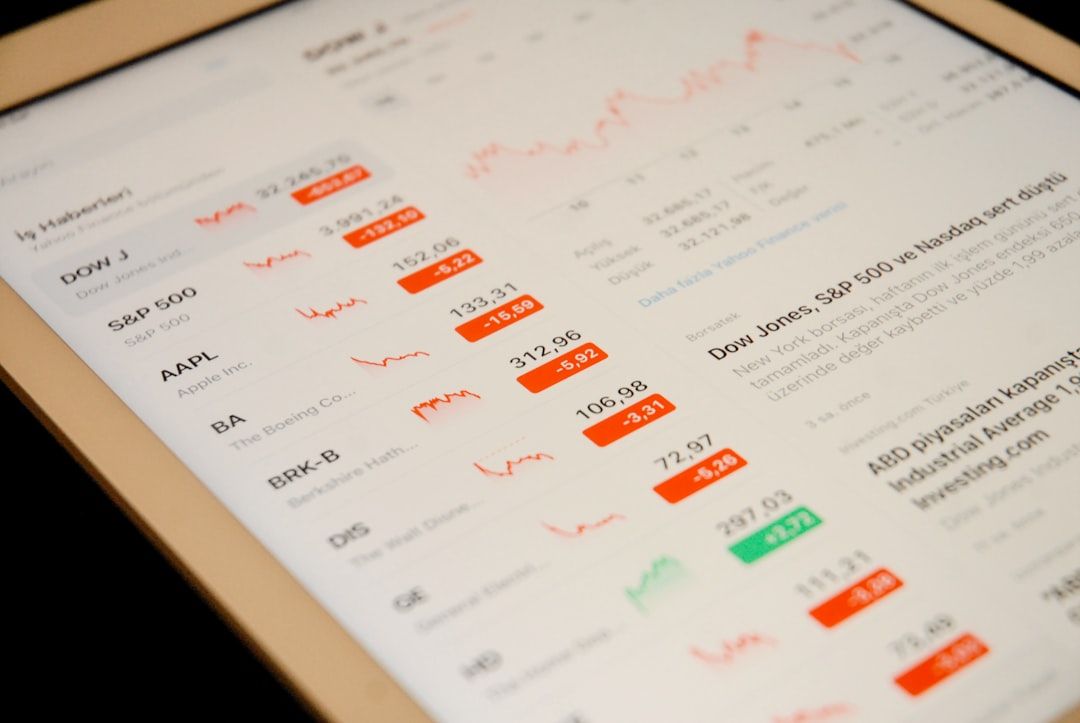
Most articles about dashboard design give you abstract principles. "Respect the F-pattern." "Use progressive disclosure." "Don't overwhelm the user." True, but not actionable. After analyzing the dashboards of 50 B2B SaaS products — a mix of high-retention leaders (Linear, Stripe, Notion, Figma, Slack) and products with well-documented churn problems — seven specific layout patterns emerged as consistent differentiators. The products that retain users use these patterns. The products that churn users either skip them or implement them badly.
This isn't a "best dashboards" list. It's a pattern analysis: each pattern below is tied to a specific retention outcome and illustrated by products shipping it well in 2026. If you design B2B SaaS dashboards, these are the seven moves that consistently show up in products users keep paying for.
TL;DR — Key Takeaways
Most articles about dashboard design give you abstract principles.
- Seven dashboard patterns consistently separate retention leaders from churning products.
- Pattern 1: Actionable-first layout — the first thing users see is what they need to act on, not what looks impressive.
- Pattern 2: Progressive disclosure — depth exists but isn't dumped on first load.
- Pattern 3: Contextual actions — buttons live next to the data they act on, not in a separate "actions" panel.
- Pattern 4: Personalized empty states — new users and power users see different dashboards.
- Pattern 5: Insight layer, not just data layer — dashboards say what the data means, not just what it is.
- Pattern 6: Performance that feels instant — load time under 2 seconds; skeleton loaders for everything else.
- Pattern 7: Density calibration — 5-7 primary metrics per screen, with depth accessible on demand.
- Supporting research: published studies consistently tie dashboard UX quality to measurable retention differences. Hotjar's onboarding research has linked poor onboarding experiences to first-week churn.
Why Dashboards Are the Churn Battleground
SaaS users spend an outsized portion of their time in the dashboard — for most products, it's the default post-login screen and the central hub for work. If the dashboard fails, users don't just miss features; they lose faith in the product's competence.
Dashboard problems are also harder to diagnose than workflow problems. A broken checkout flow produces a clear signal (conversion drops at step 3). A mediocre dashboard produces a diffuse signal (users gradually use the product less). By the time the problem is obvious, you've lost users.
The seven patterns below address this diffuse-failure mode. They make dashboards feel competent on day one and remain useful on day 90.
Pattern 1: Actionable-First Layout
The first screen a user sees after login should foreground what they need to act on — not what looks impressive.
Linear's dashboard shows the user their assigned issues first, sorted by priority. Stripe shows pending payouts and recent transactions. Notion shows recent pages and whatever needs attention. What these have in common: the hero real estate is dedicated to user work, not abstract metrics.
What bad looks like: a dashboard that opens with a hero chart showing MRR (meaningless to most end users) or a "welcome back" banner that takes 200 pixels of vertical space. Both are product-builder-centric — they show things the product team wants to highlight rather than things the user came to do.
The test: can a user accomplish something within 3 seconds of loading the dashboard? If the answer requires scrolling, clicking into a sub-page, or opening a panel, the layout fails this pattern.
Retention implication: first-session value correlates strongly with second-session return. Users who complete something meaningful in session one come back; users who browse and leave often don't.
Pattern 2: Progressive Disclosure
Depth exists but isn't dumped on first load. Users who want more get more; users who want less aren't overwhelmed.
Figma's dashboard is a clean study. The default view shows recent files and teams. Clicking into a team reveals projects. Clicking into a project reveals files. Clicking into a file opens the editor. Each layer is a progressive reveal of complexity based on what the user is trying to do.
HubSpot's CRM uses this at a feature level. New users see a simplified contact view. As usage patterns emerge, the interface quietly reveals more — custom properties, advanced filters, automation triggers. This creates what feels like a gently expanding product rather than an overwhelming one.
What bad looks like: a dashboard that shows every metric, every filter, every action at once. This is a common failure mode for products that try to prove their sophistication. The result is a dashboard users bounce off because they can't find what they came for.
The test: can a brand-new user successfully complete a core task without being taught? If not, the dashboard is over-disclosed.
Retention implication: cognitive load is the single strongest predictor of early churn. Users who feel overwhelmed in the first session rarely return.
Pattern 3: Contextual Actions
Buttons live next to the data they act on, not in a separate "actions" panel.
Linear places the "assign," "change status," and "add comment" actions inline with each issue. Stripe lets you "refund" or "contact customer" directly from a transaction row. Slack lets you react, reply in thread, or save from the message itself — never a separate actions panel.
The anti-pattern: a dashboard where users see the data, then have to click elsewhere to act on it, then navigate back to verify the action worked. Every step is an opportunity to get distracted or abandon the task.
What bad looks like: a dashboard where the primary action path requires: (1) identify the item needing action, (2) navigate to a detail view, (3) find the action in a toolbar or menu, (4) perform the action, (5) navigate back. Five steps where one would suffice.
The test: is the action one click away from the data it acts on? If not, move it.
Retention implication: users measure products in clicks-per-task. Products with lower clicks-per-task feel more efficient and get used more.
Pattern 4: Personalized Empty States
New users and power users see fundamentally different dashboards.
Notion's empty state is a curated template gallery that introduces the product's range. As a user builds out their workspace, those templates fade and the workspace becomes the dashboard. Slack's empty state emphasizes inviting teammates and connecting integrations. Once teammates and integrations are in place, the empty state fully disappears.
The principle: empty states are onboarding disguised as UI. They're where most products lose new users — a dashboard full of "no data yet" messages and grayed-out sections creates immediate confusion. Products that treat empty states as first-class design problems retain dramatically better.
What bad looks like: a dashboard that shows the same empty shell to a brand-new user and a power user. New users see a dead product and leave. Power users see the shell once and remember the product felt empty.
The test: do new users see a welcoming, guided experience with obvious first actions? Do they see a different dashboard than power users?
Retention implication: Hotjar and other industry research consistently link first-week engagement to long-term retention. Empty states are where first-week engagement lives or dies.
Pattern 5: Insight Layer, Not Just Data Layer
Dashboards that retain users don't just show data; they say what the data means.
Stripe's financial reporting shows your MRR, but also flags "MRR is up 12% from last month, primarily driven by new subscriptions from the US." Linear's analytics show your team's velocity and contextualizes it ("velocity is consistent with the past 4 sprints"). HubSpot's contact dashboards surface "recommended next actions" based on behavior patterns.
The underlying pattern: dashboards move from passive data display to active interpretation. Users don't want to compute insights themselves — they want the dashboard to surface what matters.
What bad looks like: a dashboard that displays 12 charts and expects the user to figure out which ones are important today. This is often defended as "giving users flexibility," but it actually puts the analytical burden on users every session, which is tiring.
The test: when a user opens the dashboard, can they immediately answer "is anything notable today?" without manually inspecting charts?
Retention implication: users who feel they're learning from the product come back. Users who feel they're doing the product's job leave. The insight layer is how a dashboard teaches.
Pattern 6: Performance That Feels Instant
Dashboards that take 4+ seconds to load feel broken. Users either bounce or silently lose trust. The target for 2026 is a dashboard that feels loaded within 2 seconds — even if data is still arriving.
Linear achieves this by loading UI shell instantly and filling in data as it arrives. Figma's dashboard feels instant because the thumbnails load progressively, not all at once. Notion's workspace loads the recent pages first, with less-used pages lazy-loading as you scroll.
The techniques: skeleton loaders for any content that takes longer than 300ms to arrive. Progressive loading so critical UI appears first. Lazy loading for below-the-fold content. Server-side rendering for initial page loads. Aggressive caching for repeat visits.
What bad looks like: a blank screen for 3 seconds followed by the full dashboard appearing at once. Users notice the blank time disproportionately and form a bad impression.
The test: is anything visible on screen within 1 second? Is the full dashboard interactive within 3?
Retention implication: perceived performance is one of the most underrated retention levers. Slow dashboards feel untrustworthy even when the data itself is perfect.
Pattern 7: Density Calibration
Showing 5-7 primary metrics per screen is the sweet spot for most B2B dashboards, with deeper data accessible on demand.
Why 5-7? It's a reasonable approximation of what a user can parse in a glance. Below that, the dashboard feels sparse. Above that, users start scanning instead of reading, and the added metrics add visual noise without cognitive value.
Linear's project dashboards typically show 5-6 primary metrics (progress, scope, velocity, team, recent activity). Stripe's business dashboard shows 4-6 depending on your business model. HubSpot's reports show 4-6 in each module. The products that retain users converge on similar density.
What bad looks like: a dashboard with 15 charts competing for attention, or a dashboard with 2 charts and a lot of whitespace. Either extreme signals that the team hasn't calibrated density thoughtfully.
The test: on the first screen, can a user identify the 5-7 most important signals without manually searching?
Retention implication: cognitive load recurrence is a silent churn driver. Dashboards that require effort every session erode user patience over months.
The Anti-Pattern: Fake Personalization
One pattern worth calling out as a counterexample — the dashboards that claim personalization but deliver the same screen to everyone.
"Welcome back, [name]!" is not personalization. Showing the same 12 metrics to a CEO and a support agent is not personalization. Real personalization means different users see different layouts, different metrics, and different default actions — driven by role, usage patterns, and declared preferences.
Most SaaS dashboards ship with fake personalization because real personalization is expensive. But users notice. A CEO who sees an operational metrics dashboard they can't act on stops opening the dashboard.
How to Audit Your Own Dashboard Against These Patterns
A 30-minute self-audit to see how your dashboard scores.
Step 1: Fresh-eyes test. Open your dashboard in an incognito window. Set a 30-second timer. Can you identify the three most important things at a glance? If not, you're failing Pattern 1 (actionable-first) or Pattern 7 (density calibration).
Step 2: New user test. Sign up a new test account. What does the empty dashboard look like? Is it welcoming or dead? Does it guide to a clear first action? If not, Pattern 4 (personalized empty states) is failing.
Step 3: Performance audit. Use browser DevTools or Lighthouse. What's your time-to-interactive? Your first contentful paint? If either is over 3 seconds, Pattern 6 is failing.
Step 4: Action proximity audit. For each piece of data visible on the dashboard, how many clicks to the primary action on it? If any is more than 2, Pattern 3 (contextual actions) has gaps.
Step 5: Insight audit. Read through every chart and data display. For each one, ask "what does this mean?" If the answer requires analysis, you're missing Pattern 5 (insight layer).
Score each pattern 1-3. Total of 14+ means you're doing well. Under 10 means you have work to do — and the patterns with 1s are where to start.
What This Doesn't Cover
A few things outside the scope of these seven patterns, but worth noting:
Accessibility is assumed as table stakes in 2026. WCAG 2.1 AA minimum, keyboard navigation, screen reader support, focus states. Dashboards that miss these aren't competing for retention at all.
Mobile dashboards are a different animal. These patterns apply but adapt — especially density calibration (3-4 metrics per screen on mobile, not 5-7) and contextual actions (swipe gestures often work better than persistent buttons).
Data visualization specifics (chart types, color choices, axis labels) are important but too granular for this framework. The patterns above assume good visualization hygiene underneath.
Pattern 8 (Added for 2026): Agent-Integrated Dashboards
The biggest 2026 shift in SaaS dashboard design is agent integration. Per Gartner's 2026 enterprise forecast, 40% of enterprise applications will have task-specific AI agents integrated by end of 2026. The products that ship this pattern well are emerging as retention leaders in the new wave.
What agent-integrated dashboards look like:
- Conversational command bar alongside the static dashboard. Users can type natural-language questions ("what changed this week?") and get answers inline, without leaving the dashboard. The dashboard monitors; the agent investigates and acts.
- Agent-generated views triggered by the data. When a KPI crosses a threshold, the system generates a dedicated view for that problem — without the user having to build it. Notion 3.2 (launched January 20, 2026) does this with agent-composed workspace views.
- Proposed actions with one-click execution. The agent suggests actions ("archive these 12 stale deals, re-engage these 8") and the user approves or rejects in bulk. Linear Agent (April 1, 2026) ships this pattern for issue triage.
- Visible audit trail for agent actions. Every action the agent took is logged and reversible. Trust is designed in; see How to Design AI Features Users Actually Trust for the full playbook.
Named 2026 examples:
- Notion 3.2 (January 20, 2026) — agent-generated workspace views adjacent to static pages
- Linear Agent (April 1, 2026) — AI-composed issue triage with approval workflows
- Tableau Pulse — natural-language insights layered over Salesforce data dashboards
- Amplitude Data Chat — conversational analytics layer on product dashboards
- ServiceNow AI Experience — multimodal agent workspace with structured task layer
- Claude Cowork (January 2026) — desktop agent across connected apps
Design requirement: Agent integration isn't "chat as a bolt-on." It's redesigning the dashboard to assume an agent is also a user of it — reading metrics, proposing actions, executing approved work. The static dashboard remains for ambient monitoring; the agent handles intent-driven tasks. For the full pattern landscape, see Conversational UI Is Replacing Your Dashboard.
Teams shipping agent-integrated dashboards in 2026 report higher session engagement and lower churn compared to static-only dashboards for the same products. The directional evidence is strong; the rigorous peer-reviewed studies are still emerging. Treat agent integration as a 2026 must-have if your competitors are shipping it, not as a nice-to-have.
Frequently Asked Questions
How do I design a SaaS dashboard that reduces churn?
Focus on seven patterns: actionable-first layout (what users need to act on is most prominent), progressive disclosure (depth exists but isn't dumped on first load), contextual actions (buttons next to the data they act on), personalized empty states (new users and power users see different dashboards), an insight layer on top of the data layer, performance under 2 seconds, and density calibration at 5-7 primary metrics per screen. These patterns consistently distinguish high-retention SaaS products from churning ones.
What patterns reduce SaaS churn through design?
Beyond the seven dashboard patterns, several broader design choices correlate with retention: fast time-to-first-value (users accomplish something meaningful in their first session), clear onboarding flows that teach without overwhelming, transparent pricing and usage visibility, responsive customer support accessible from within the product, and consistent microinteractions that reinforce competence. Design can't fix a product that doesn't solve a real problem, but design can absolutely lose users from a product that does.
How many metrics should a dashboard show?
For most B2B SaaS dashboards, 5-7 primary metrics on the default view works best. Below that, the dashboard feels sparse; above that, users start scanning instead of reading and miss signals. If you need to show more, use progressive disclosure — let users drill down into secondary and tertiary metrics from the primary ones. On mobile, 3-4 primary metrics is the upper limit.
What's the best dashboard layout for B2B SaaS?
Grid-based layouts with the most critical metric in the top-left (following F-pattern scanning research). 5-7 primary metrics across the top row. Secondary information down the left column. Detail and context in the center. Contextual actions inline with data. This general framework works for most B2B products; the specific arrangement should be tested with your actual users.
What's the difference between operational, analytical, and strategic dashboards?
Operational dashboards are built for speed and urgency — used by people monitoring real-time activity who need to react quickly. Analytical dashboards support exploration — used by people asking questions of the data and comparing periods. Strategic dashboards summarize high-level health — used by executives who want a quick status read. Each type has different density, interaction, and personalization needs. Most B2B products need all three, designed as separate views or modes.
How do I improve user retention through dashboard UX?
Audit your current dashboard against the seven patterns in this post. Score each one. The patterns where you score lowest are your biggest retention levers. Make one change at a time and measure the impact before moving to the next. Common high-ROI changes: restructuring the layout to put actionable content first, adding an insight layer that explains what the data means, redesigning empty states to guide new users, and optimizing performance so the dashboard feels instant.
For related content, read [25 Microinteractions That Actually Convert](https://mantlr.com/blog/microinteractions-convert-25-patterns) — several of the patterns there apply directly to dashboard UX. For the broader shift to agent-integrated dashboards, see [Conversational UI Is Replacing Your Dashboard](https://mantlr.com/blog/conversational-ui-replacing-dashboard). For the trust patterns required for agent-integrated dashboards, see [How to Design AI Features Users Actually Trust](https://mantlr.com/blog/design-ai-features-trust). For the underlying generative UI patterns, see [Generative UI in 2026: 7 Design Patterns](https://mantlr.com/blog/generative-ui-patterns-2026).
Browse Mantlr's curated [dashboard UI kits](https://mantlr.com/categories/ui-kits), [SaaS templates](https://mantlr.com/categories/saas-templates), and [B2B design resources](https://mantlr.com/categories) for building dashboards your users stick with.
Primary source references (all retrieved April 24, 2026):
- Baymard Institute UX research
- Nielsen Norman Group on dashboard design
- Hotjar research on onboarding and churn
- Gartner: 2026 enterprise AI agent forecast — 40% of enterprise apps with task-specific agents by end 2026
- Notion 3.2 launch (January 20, 2026)
- Linear Agent launch (April 1, 2026)
- Tableau Pulse
- Amplitude Data Chat
- Intercom Fin benchmarks
Methodology note: The seven core patterns in this post reflect observation from published design-review content and product analysis rather than controlled studies. Specific retention-lift claims tied to individual patterns are directional industry consensus, not peer-reviewed. The agent-integration pattern (Pattern 8) is newly emerging in 2026 — the directional evidence is strong from early adopters but the rigorous measurement studies are still being published.