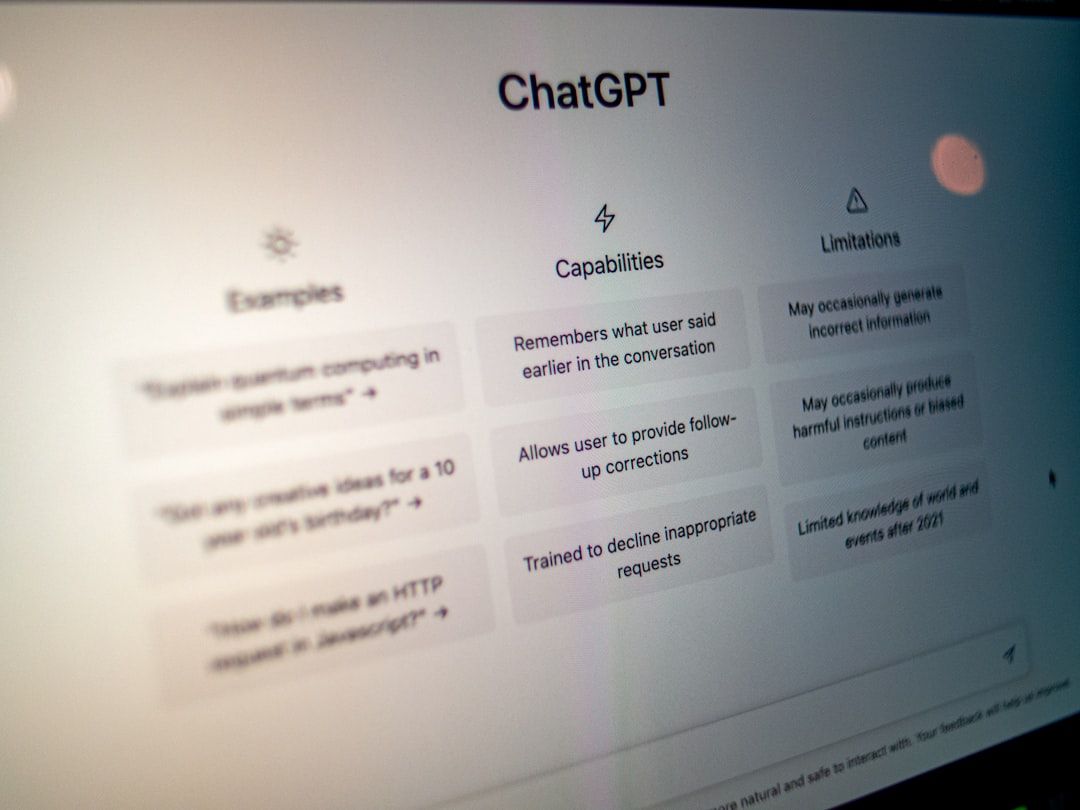
For twenty years, self-serve BI meant "learn to build your own dashboard." That's finally breaking. In 2026, the dominant interaction model for enterprise data is shifting from clicking through menus and filling in filter panels to asking questions in plain language and getting structured answers back.
The 2026 product wave made this concrete. Notion 3.2 shipped January 20, 2026 with agent-generated workspace views. Linear Agent launched April 1, 2026 with AI-composed triage surfaces. Claude Cowork became publicly available in January 2026 as Anthropic's desktop agent. Tableau Pulse turned natural language into Salesforce/Tableau insights. Amplitude Data Chat brought conversational analytics to product teams. Finance teams ask Slack for cash position updates via Bruin. Sales teams query CRM through chat.
Per Gartner's 2026 enterprise forecast, 40% of enterprise applications will have task-specific AI agents integrated by end of 2026 — up from under 5% at the start of 2024. This isn't a speculative curve; it's a product shipping reality.
The hype version of this story says the dashboard is dead. The reality is more interesting — and more useful for designers to understand. Conversational UI is eating a specific slice of dashboard use cases, but it's also revealing which parts of the traditional dashboard were never actually useful, and which parts will never be replaceable by chat. This guide walks through both, anchored in April 2026 product state.
TL;DR — Key Takeaways
For twenty years, self-serve BI meant "learn to build your own dashboard.
- Conversational UI is replacing the ad-hoc question layer of dashboards — "what's our cash position vs last quarter" — not the monitoring layer.
- Four patterns are doing the heavy lifting: prompt-to-answer, prompt-to-chart, conversational drill-down, and scheduled conversational briefings.
- The dashboard isn't dying; it's being unbundled. Monitoring surfaces survive. Exploration surfaces get absorbed by chat.
- Hybrid interfaces — where the static dashboard and conversational layer coexist — are the dominant 2026 pattern in production products.
- Per Gartner: 40% of enterprise applications will have task-specific AI agents by end of 2026 — making this transition load-bearing for product designers at enterprise companies.
- Real shipping examples (April 2026): Notion 3.2, Linear Agent, Claude Cowork, ServiceNow AI Experience, ThoughtSpot, Bruin, Power BI Copilot, Hex Notebook Agent, Looker with Gemini, Tableau Pulse, Amplitude Data Chat.
What Enterprise Dashboards Were Always Actually For
To understand what conversational UI is replacing, it helps to start with what dashboards were trying to do in the first place. A well-observed framework: every piece of enterprise software answers one or more of three user questions.
What's important? (Surface relevant information — anomalies, KPIs, status changes.) This is the monitoring use case. A CFO checking cash position every morning. An ops lead watching a deployment.
What do I do next? (Recommend an action based on current state.) A sales rep seeing which accounts need outreach today. A support lead seeing which tickets are at risk of SLA breach.
How do I do it? (Provide the actions or paths to accomplish the task.) Creating an expense report. Running a report for the board. Approving a requisition.
Traditional dashboards tried to do all three, often badly. They were pages of charts and filters, and users had to assemble meaning themselves. They optimized for flexibility, not answers.
Conversational UI is better than the dashboard at two of these three jobs — what's important and how do I do it — when the context is well-understood. But it's often worse at what's important for ambient monitoring, because you have to ask before you can know.
This is the real story of what's happening. Chat wins on questions with specific intent. Dashboards win on ambient awareness. Great products offer both.
The Four Conversational Patterns Actually Shipping in 2026
The hype talks about "chat with your data" as one thing. In practice, there are four distinct patterns shipping in 2026 products, and they solve different problems.
Pattern 1: Prompt-to-Answer
The user types a question in natural language and gets a direct textual answer, often with supporting numbers inline. No chart generated. No dashboard opened. Just the answer.
When it wins: Ad-hoc questions where the user wants a number, not a visualization. "What was our MRR last month?" "How many accounts opened this quarter?" "What's our current cash runway?"
Real example (April 2026): Bruin answers finance questions in Slack, Teams, or WhatsApp — returning a direct answer with the relevant figure inline, not a chart the user has to interpret. Tableau Pulse does the same for Salesforce data, with natural language queries returning summarized insights. Amplitude Data Chat lets product teams ask "what changed last week?" and get a prose answer with inline numbers.
Design requirement: The answer needs a source citation. "Revenue was $4.2M in March (source: Stripe charges.revenue metric, 30-day window)." Without the citation, users can't trust the answer. See How to Design AI Features Users Actually Trust for the full trust-pattern playbook.
Pattern 2: Prompt-to-Chart (Natural Language to Visualization)
The user asks for a visualization, and the system generates it live — picking the right chart type, the right axes, and the right filters.
When it wins: When a visualization would help but the user doesn't want to build it. "Show me revenue by region over the last four quarters, stacked bar." The system returns a ready-to-use chart.
Real example (April 2026): ThoughtSpot's search-driven BI takes natural language queries and returns "liveboards" — purpose-built visualizations generated on the fly. Power BI Copilot does the same inside Microsoft's BI suite. Hex's AI features extend this into notebooks.
Design requirement: The chart needs to be editable. The user should be able to modify the visualization ("change to line chart," "add comparison to last year") without re-typing the whole prompt. The conversation and the chart state need to be tied together.
Pattern 3: Conversational Drill-Down
The user starts with a question, gets an answer, then drills deeper through follow-up prompts. Each prompt builds on the prior context.
When it wins: Investigation work. "What caused the drop in conversion?" → "Was it a specific cohort?" → "Show me that cohort's behavior before and after." Traditional dashboards force users to build each of these views separately. Chat lets them flow.
Real example (April 2026): Hex's Notebook Agent handles this pattern well — you start with a question, and the follow-up conversation maintains context across multiple queries and visualizations, producing a coherent investigative thread. Amplitude Data Chat specifically is designed for product analytics drill-downs.
Design requirement: Context persistence. Every follow-up needs to remember the previous turn. If the user has to re-state filters or cohorts in every message, the drill-down breaks down.
Pattern 4: Scheduled Conversational Briefings
Not every question needs to be asked. Some are recurring enough that the system should generate them proactively.
When it wins: Daily/weekly rhythms. A morning briefing in Slack summarizing yesterday's key metrics with narrative context. A Monday investor update pulling from multiple sources. A Friday retro summary.
Real example (April 2026): Tableau Pulse generates scheduled narrative insights based on metric thresholds. Amplitude Data Chat generates recurring product-analytics briefings. Claude Cowork can be configured to deliver morning briefings pulled from connected apps (Gmail, Calendar, Drive).
Design requirement: Proactive delivery. The briefing comes to the user — it doesn't wait to be asked. Voice/tone needs to match the recipient's role (financial specificity for CFO briefings; customer narrative for CS leadership).
Where Conversational UI Falls Apart
Three places where conversational UI genuinely doesn't work, even in 2026.
High-density comparison. If the user is comparing 20 products across 15 attributes, a chart or table works far better than a text answer. Chat can generate the table, but the final presentation is still tabular. This is why "prompt-to-chart" is a pattern — because chat alone can't solve high-density comparison.
Cross-filtering exploration. "Show me accounts where revenue is up but engagement is down, grouped by industry, with deal stage overlaid, for the last six months." That query is simple to express in language but complex to render cleanly. Traditional BI tools with filters, cross-tabs, and faceted search are still better at this than a chat session.
Workflows with many irreversible actions. Chat is great for "show me" questions and bad for "approve these 30 requisitions" tasks. High-stakes multi-step actions need structured forms, confirmation patterns, and audit trails — not a chat thread. Conversational UI for workflow execution works for simple tasks ("mark this done") and breaks for complex ones. This is where agent-specific trust patterns become load-bearing — see agent-specific trust design.
Great 2026 products handle these gracefully by knowing when to break out of chat and render a table, a form, or a cross-filter — then letting chat resume as the connective tissue.
The Hybrid Pattern That's Winning
The dominant 2026 pattern in production enterprise software:
A persistent dashboard showing the most critical metrics the user needs to monitor continuously. A conversational command bar or side panel where they can ask questions, drill down, or trigger actions. Dynamic visualization rendering — when the user asks a question, the answer can appear as text, a chart, a table, or a new dashboard module that gets pinned to the persistent surface.
Products implementing this pattern well in April 2026:
- Notion 3.2 (launched January 20, 2026) — agent-generated workspace views sit alongside static page hierarchy. The agent composes; the IA persists.
- Linear Agent (launched April 1, 2026) — conversational AI with structured issue-tracking underneath. Agent-triaged views appear as dashboard modules.
- Claude Cowork (January 2026) — desktop agent with a persistent file/task layer; chat flows across it.
- ServiceNow AI Experience — multimodal workspace with voice, text, image, web, and a persistent task/workflow layer.
- ThoughtSpot — search box at the top of a traditional liveboard; query to adjust, click to drill, no mode switch.
- Tableau Pulse — metric cards in a persistent dashboard with Gemini/Einstein-powered conversational drill-down.
- Amplitude Data Chat — event dashboard with a conversational overlay that generates charts and narratives on demand.
Design-wise, the hybrid pattern means you need to design both modes and the transitions between them. Pure chat interfaces are niche. Pure dashboards are dated. The sweet spot is chat-on-top-of-structure.
What This Means for Designers
Four practical shifts if you're designing data products in 2026.
Unbundle your dashboard. Go through each widget and ask: is this ambient (monitor always) or intent-driven (query as needed)? Move the intent-driven ones behind a conversational layer. Keep the ambient ones on the persistent surface. The result is usually a lighter dashboard with much more powerful question-answering.
Design the citation pattern. Every conversational answer needs to explain its source. "Revenue was $4.2M (Stripe charges API, 30-day rolling, excluding refunds)." Without this, trust collapses the first time a number looks wrong. Design citation as a first-class pattern, not a footnote.
Design the fallback from chat to structure. When the user asks a question that's better answered with a table, form, or dashboard module, the system should render that — not cram everything into a chat bubble. The conversation is the connective tissue, not the final UI. See Generative UI in 2026 for the underlying patterns.
Ship the ambient briefing. If your product generates questions users ask daily, the briefing pattern (scheduled narrative summary delivered to Slack or email) is often more useful than the dashboard. Users would rather be informed than interrogative, when the information is recurring.
What Does Not Survive (Honest Assessment)
Some design patterns we relied on for a decade are genuinely obsolete.
Filter panels with a dozen dropdowns. Replaced by conversational filter expression. The user describes the filter in language, the system applies it.
Vanity dashboards. Dashboards built to impress executives but never used for decisions. These used to survive out of politics. In a chat-first world, nobody opens them.
Manual report-building interfaces. The "build your own chart" wizards inside enterprise BI tools. Gemini in Looker, Copilot in Power BI, and similar integrations mean the wizard UI is bypassed in favor of prompting.
Multi-step filter-and-group UIs. The traditional pivot-table-style interface where users carefully configure dimensions and measures. Still useful for power users, but increasingly niche.
Designers whose work is primarily "more elaborate BI config UI" are in a shrinking niche. Designers whose work is "hybrid conversational + structured workflows" are in the fastest-growing niche.
Frequently Asked Questions
Will conversational UI replace dashboards completely?
No. Conversational UI is replacing the exploration and ad-hoc question layer of dashboards — where users build custom views, apply filters, and answer specific questions. The monitoring layer (continuous status, key metrics, anomaly alerts) survives and is getting more important. Most 2026 enterprise products are hybrid: static monitoring dashboards with conversational overlays. Per Gartner, 40% of enterprise apps will have task-specific AI agents by end of 2026, but that's additive to dashboards, not replacing them.
What are the benefits of conversational UI?
Speed to answer (no clicking through filters), accessibility (users don't need to know the underlying data model), inclusivity (non-technical users can access insights), and reduced dashboard maintenance burden. Published research has shown conversational assistants can improve productivity meaningfully, with bigger gains for novice workers than experienced ones — but the METR RCT finding that senior developers were 19% slower with AI despite feeling 20% faster applies to data tools too. Gains are context-dependent.
Is chat replacing traditional UI across the board?
No. Chat wins for intent-driven tasks and single-user queries. It loses for ambient monitoring, high-density comparison, multi-user workflows, and irreversible actions. The interfaces that combine both — structured surfaces with conversational layers — are dominant in 2026.
How do you design a conversational interface for data?
Start with the four patterns: prompt-to-answer, prompt-to-chart, conversational drill-down, and scheduled briefings. Design citation and source transparency as first-class features. Design the fallback to structured visualizations when chat isn't the right answer format. Maintain conversation context for follow-up queries. Always have a path from chat to an editable visualization. See How to Design AI Features Users Actually Trust for the trust-pattern playbook.
What companies are shipping conversational UI in 2026?
Major players (verified April 2026): Notion 3.2 (January 20, 2026), Linear Agent (April 1, 2026), Claude Cowork (January 2026), ServiceNow AI Experience, ThoughtSpot, Power BI Copilot, Looker with Gemini, Hex Notebook Agent, Tableau Pulse, Amplitude Data Chat, Bruin (Slack-native finance), Domo's natural language layer. Most large enterprise BI and workflow tools have shipped or are shipping conversational layers.
Is conversational UI the same as a chatbot?
No. A chatbot is a specific interaction pattern (scripted question-response). Conversational UI is a broader interface paradigm where natural language is a primary input method — which can include chatbots but also includes voice interfaces, prompt-to-action workflows, search-like natural language queries, and structured conversational briefings.
What's the difference between conversational UI and AI agents?
Conversational UI is the input/output surface — natural language questions and answers. AI agents take actions based on those conversations. A conversational UI answers "what was Q4 revenue?" An agent executes "update all stale deals in Salesforce." Per Gartner, the 40% enterprise-app-agent forecast for end 2026 specifically refers to agents that take action, not just answer. Linear Agent, Claude Cowork, and Notion 3.2's agent views are agent examples; Tableau Pulse and Bruin are more purely conversational UI without autonomous action. Both categories are growing.
What does the future of dashboards look like?
Hybrid. Persistent monitoring surfaces for ambient awareness + conversational overlays for exploration + scheduled briefings for recurring questions + agent integration for action execution. The 2026 product pattern is clear: pure dashboards are fading, pure chat is niche, the combination is winning at enterprise scale.
For the underlying generative UI patterns that conversational interfaces compose on top of, see [Generative UI in 2026: 7 Design Patterns](https://mantlr.com/blog/generative-ui-patterns-2026). For the trust-pattern playbook that makes these features usable, see [How to Design AI Features Users Actually Trust](https://mantlr.com/blog/design-ai-features-trust). For the SaaS dashboard patterns that still survive, see [50 SaaS Dashboards: What Works and What Doesn't](https://mantlr.com/blog/saas-dashboards-audited).
Browse Mantlr's curated [dashboard UI kits](https://mantlr.com/categories/dashboard-templates), [data visualization tools](https://mantlr.com/categories), and [AI design resources](https://mantlr.com/categories) — vetted by designers shipping data products.
Primary source references (all retrieved April 24, 2026):
- Notion 3.2 launch (January 20, 2026)
- Linear Agent launch (April 1, 2026)
- Anthropic: Claude Cowork (January 2026)
- Tableau Pulse
- Amplitude Data Chat
- Gartner: 2026 enterprise AI agent forecast — 40% of enterprise apps with task-specific agents by end 2026
- Nielsen Norman Group: AI paradigm shift
- Jakob Nielsen on intent-based outcome specification
- Nir Eyal: Die Dashboards Die
- ThoughtSpot
- Hex Notebook Agent
- Bruin