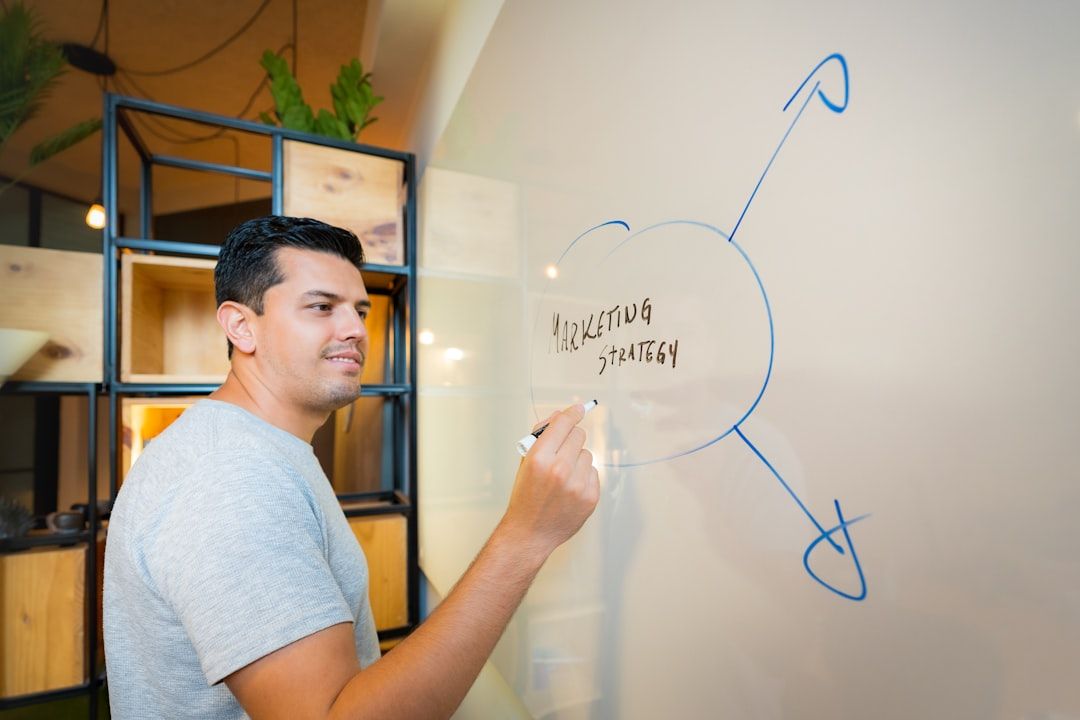
The quiet skill that separates senior designers from mid-level designers isn't craft. It's the ability to walk into a room of product managers, engineers, executives, and marketing leads — none of whom understand design the way you do — and walk out with alignment. Designers who can do this ship more ambitious work and get the roles they want. Designers who can't watch their best ideas die in review meetings.
This post is the 2026 playbook. It covers the universal moves that work regardless of era (business context first, control the feedback loop, explain constraints) and the newer moves specific to 2026 (presenting AI-assisted work, running async Loom reviews, handling the "but AI can do this" question). The examples are practical; where useful, I've included templates you can literally copy.
TL;DR — Key Takeaways
The quiet skill that separates senior designers from mid-level designers isn't craft.
- Presenting design well is a senior-designer skill, not an aesthetic one. It's the difference between your best work shipping and dying in review.
- The biggest mistake is starting with the design. Start with business context and the problem; the design comes after the frame.
- Know your audience. PMs want to know if it'll ship on time. Execs want to know if it moves metrics. Engineers want to know the edge cases. Marketers want to know the story. One deck doesn't serve all four.
- 2026-specific: expect the "couldn't AI do this?" question and prepare an honest answer. Be transparent about what was AI-generated and why human judgment mattered.
- Control the feedback loop. Structure the conversation so feedback is useful, not chaotic. Time-box it; frame it around the problem, not personal preference.
- Async is often better than live. A good Loom walkthrough + a live Q&A is more effective than a 60-minute presentation for most cases.
The Universal Frame (Applies Regardless of Era)
Before tactics, the philosophical frame that separates designers who get approval from designers who don't.
Stakeholders don't reject designs because they're ugly. They reject designs because they can't connect them to the business. A stakeholder who doesn't understand how your design moves a metric, reduces a risk, or captures an opportunity will default to either vague feedback ("make it pop more") or rejection. Your job as the presenter is to make the connection explicit — before they ask.
This reframes the whole presentation. You're not presenting a design. You're presenting a business argument that happens to be illustrated by a design. Get that right and most of the tactical advice below is easier to apply.
Before the Meeting: The Prep Work That Actually Matters
Great presentations are 70% preparation, 30% delivery. Here's the prep work that compounds.
Talk to your most important stakeholders one-on-one first
The single highest-leverage move is pre-reading with your most important stakeholders. A 15-minute 1:1 before the group meeting where you walk them through the design, ask what resonates, and surface concerns. Two things happen: you refine the presentation based on real feedback, and the stakeholder arrives in the meeting already on your side. Their objections get raised privately, where you can address them, instead of publicly, where they become political.
Know what each person cares about
Not every stakeholder in the room cares about the same thing. The PM wants timeline, scope, and risk. The engineering lead wants edge cases, accessibility, and technical feasibility. The exec wants the metric story. The marketer wants how this lands in external communication. Know which of these lenses each person applies — and address the biggest one upfront.
Prepare for the one question you don't want
Every presentation has a question you're dreading. It's usually the one you don't have a great answer to yet. Prepare a version of the answer anyway. "That's a great question — we prioritized X over Y because [reason]. We're open to revisiting if [specific condition]" is much better than getting caught flat-footed. If the question is about a genuine weakness in the design, own it: "You're right that we haven't solved this yet. Here's what we're planning to explore."
The Presentation Structure That Works
A tested flow that applies to most design presentations. Adapt the weights based on context — exec reviews skew toward business framing; engineering reviews skew toward trade-offs.
1. Problem and business context (2-3 minutes)
Don't start with the design. Start with why you're here. "Our signup completion rate is X%, industry benchmark is Y%, and the top drop-off point is the account setup step. This meeting is about the redesign of that step."
This slide is the frame the rest of the presentation lives inside. Without it, every design decision looks arbitrary. With it, every design decision looks intentional.
2. Users and constraints (1-2 minutes)
Who is this for, and what constraints did you design within? "Users are HR managers at mid-market companies. They set up the product in their first hour, usually while multitasking. We couldn't add new data fields, and the flow had to work in our existing auth infrastructure."
Constraints make the design legible. Without them, stakeholders propose "solutions" that don't account for realities you already navigated around.
3. The solution (majority of the time)
Now the design. Walk through it the way a first-time user would experience it. Tell the story, don't list the features. "A new user lands on this screen — notice the reassurance about setup time. They click start, and the flow opens with the step count visible so they know what they're committing to..."
Show, don't narrate. Let the design do the work. Your voiceover is there to connect decisions to the problem, not to describe what's visible.
4. Trade-offs and alternatives (1-2 minutes)
What did you consider and reject? "We explored a single-page form, but it created a 40% drop-off spike at the payment step in prototype testing. We explored delaying payment until after activation, but it created billing complications that engineering couldn't resolve in this quarter."
This section is a trust signal. It shows you considered the alternatives the room is about to propose, before they propose them.
5. Metrics and next steps (1-2 minutes)
How will you know it worked? "We're measuring completion rate on the setup step. Target is a 15% improvement in six weeks. If we hit it, we roll out to all users. If we miss by more than 5%, we iterate."
Measurable outcomes make designs accountable. They also commit the room to a specific evaluation criterion, which prevents retroactive rejection later.
6. Questions (structured, time-boxed)
Don't open the floor to "any questions." Structure it: "I'd like to spend five minutes on concerns about feasibility, then five on concerns about timeline, then five on open design decisions." This prevents one person from dominating, ensures all critical topics get airtime, and gives everyone a predictable chance to contribute.
Handling the 2026-Specific Questions
Four questions that come up more often in 2026 than they did two years ago, and how to handle them.
"Couldn't AI just do this?"
This question is now routine. The wrong response is defensive. The right response is honest and specific.
Template: "AI tools actually did generate the first draft — here's what Claude Design produced. My work was in the editing: deciding which of these three options best fit our design system, catching this edge case [point to it], adjusting the hierarchy so the primary action stays above the fold. The AI saved us days of initial layout exploration. The final design reflects decisions only a human with product context could make."
Transparency wins every time here. Designers who pretend they didn't use AI when they did look either naive or dishonest. Designers who over-claim AI involvement when the work was actually manual look confused. Be accurate.
The 2026 framing that helps. Jenny Wen's "the design process is dead" essay (Lenny's Newsletter, March 1, 2026) reframes this question at the meta level: yes, the multi-phase design process (discover → define → ideate → prototype → test) has structurally collapsed under AI velocity. But design judgment — taste, trust architecture, systems thinking — is more scarce than ever. Citing this framing when stakeholders ask "couldn't AI do this?" helps reset the conversation from "can AI replace your work?" to "what work is now more valuable because AI does the rest?" See The Vibe Coding Paradox for the full argument.
"Why can't engineering just build this with AI coding tools?"
This question usually comes from an engineering or leadership perspective. Again, don't be defensive.
Template: "AI coding tools are great at generating components from design specs — we're using them already. What they don't do is decide what to build. This design is the product of user research, competitive analysis, and decisions about where to invest complexity. Those are design decisions. The code comes from them, not the other way around."
This reframes the AI question as "what's the work upstream of coding?" which is the honest answer about what design contributes.
"What does this look like in dark mode / on mobile / in [edge language]?"
Stakeholders in 2026 expect comprehensive coverage of states, not just happy-path desktop screens. If you can't show dark mode, mobile, tablet, long-content variants, and edge-language (long German strings, right-to-left Arabic, etc.), you're underprepared.
Template: "Let me show you the full state coverage." Then click through. If a state isn't designed yet, say so and commit to a date: "Dark mode isn't designed yet — we're planning that for the next sprint. Do you want to see a quick sketch now or wait for the polished version?"
"Is this accessible?"
Accessibility is table stakes in 2026 B2B and government software. The right answer is specific.
Template: "Yes — we've designed against WCAG 2.1 AA. Text contrast is 4.5:1 or better. All interactive elements have focus states. The flow works with keyboard navigation, and we've tested with VoiceOver. Our accessibility audit checklist is in the spec. If you'd like more detail on any specific area, happy to walk through it."
Vague accessibility answers ("yeah we thought about accessibility") are worse than admitting you haven't done the work yet.
Async Presentations: The Underrated Format
In 2026, more design reviews happen async than live. A 10-minute Loom walkthrough + a written summary + a comment-friendly Figma file can accomplish what a 60-minute meeting does, with better documentation and fewer scheduling headaches.
When async works best: when most stakeholders are distributed, when the review is informational (you want feedback, not a decision), when the work is complex enough that stakeholders benefit from reviewing on their own time, when there are many stakeholders and a live meeting would be chaos.
When live is still better: when you need an actual decision with commitment, when the topic is politically charged and requires real-time negotiation, when you're new to a team and need to build relationships.
The async pattern that works:
1. Record a focused Loom (10-15 minutes max — longer and people stop watching).
2. Post it in the relevant channel with a 3-bullet summary of what you want feedback on.
3. Share the Figma file with specific frames flagged for review.
4. Set a deadline for feedback (usually 48-72 hours).
5. Schedule a 30-minute live session for open questions that couldn't resolve async.
Async reviews often surface better feedback than live sessions because stakeholders have time to think. Live sessions reward whoever speaks loudest; async rewards whoever thinks most carefully.
Handling Feedback in the Moment
The hardest part of presenting isn't the prepared content. It's the unscripted feedback.
Let the work sink in before taking feedback
A common mistake: the moment you finish presenting, someone jumps in with "I don't love the blue." That feedback is reactive, not considered. Push back gently: "Before we get into specific reactions, let me wrap up the intent. Then I'd love to hear your thoughts."
This pattern gives stakeholders a full frame to react to, which produces better feedback than reactions to half-presented work.
Ask "what problem are you trying to solve?"
When a stakeholder proposes a specific solution you disagree with ("make the CTA bigger"), don't immediately counter. Instead: "Help me understand the underlying concern — are you worried the CTA won't be noticed, that it's not prominent enough relative to the secondary action, or something else?"
Most solution-proposals are actually unresolved concerns. Surfacing the concern gives you a problem to solve, not a prescription to follow.
Distinguish "this is wrong" from "this isn't my preference"
Stakeholders often confuse personal preference with actual problems. Your job is to politely distinguish. "I hear that you'd prefer a different color palette. Is that because the current palette feels wrong for the brand, or is it a matter of preference?" If it's preference, you can acknowledge it without changing the design. If it's brand-related, it becomes a legitimate problem to solve.
Own the decisions you made
When pushed on a decision, don't deflect. Own it: "We chose this layout because of [reason]. I'm open to feedback on whether [reason] is the right priority, but within that priority, this is the strongest option." This is more respected than "Sure, we can change it" or "The research said so."
The Post-Presentation Artifact
Most designers forget this step. The design review ends. Decisions get made. Then a month later, people misremember what was decided, and the work gets relitigated.
The fix is a short written summary sent within 24 hours. Three sections: (1) Decisions made. (2) Open questions and who owns resolving them. (3) Next steps and dates. Post it in the channel where the conversation happened. Link to the Figma file and Loom recording.
This feels like bureaucratic overhead. It isn't — it's the thing that prevents the next meeting from being a repeat of this one.
The Senior Move: Pre-selling Before You Present
The most senior designers I know don't rely on their presentations. They pre-sell the work so thoroughly that the presentation itself is ceremonial — everyone in the room already knows the shape of the decision, and the meeting is just a formal confirmation.
How they do it: individual conversations with each key stakeholder, often over weeks. Sharing in-progress work as they build it. Soliciting input early and reflecting it back so stakeholders feel ownership. By the time the "big presentation" happens, there are no surprises.
This isn't political maneuvering. It's respect for stakeholders' time. Nobody should be seeing a major design for the first time in a formal review meeting. If they are, you've under-invested in the pre-work, and the presentation is where that under-investment becomes visible.
Frequently Asked Questions
How do I present design work to non-designers?
Lead with business context, not the design. Stakeholders who don't understand design evaluate work through the lens of "does this help the business?" Starting with the problem you're solving and the constraints you worked within gives them a frame for the design that follows. Walk them through the design as a user would experience it, not as a designer would dissect it. Keep aesthetic language to a minimum — talk about outcomes and trade-offs instead.
How do I get stakeholders to approve my designs?
Approval comes from trust, not persuasion. Build trust by: researching thoroughly before presenting, pre-selling with key stakeholders individually, showing the alternatives you considered and why you rejected them, proposing measurable criteria for success, and owning your decisions with confidence. Designs get approved when stakeholders believe you've thought it through more carefully than they could — not when you use the most compelling adjectives.
How do I handle negative feedback on my designs?
First, distinguish between feedback on the design and feedback on your decisions. Feedback on the design ("I don't like this color") is often opinion-based; feedback on the decisions ("this doesn't solve the stated problem") is substantive. Address the substantive feedback seriously; acknowledge the opinion-based feedback without necessarily changing the work. Always ask what specific problem the stakeholder is trying to solve, rather than debating their proposed solution.
What should I say when presenting designs to executives?
Executives have limited time and care about outcomes, not process. Lead with the business case in one sentence. Show the design in under two minutes. Spend the rest of the time on trade-offs, metrics, and implementation timeline. Don't walk them through your design process; they trust you went through one. Show them the outcome and the plan.
How do I explain design decisions to people who don't understand design?
Connect every decision to a business outcome or a constraint. "We put the primary CTA here because users scan top-left first in research — this reduces time-to-first-action." Or: "We didn't redesign the navigation because engineering can't ship it this quarter." Design explanations that reference principles ("by the laws of UX") don't resonate with non-designers; explanations that reference user behavior and business reality do.
What makes a good design presentation in 2026?
A good presentation in 2026 includes: clear business framing up front, comprehensive state coverage (dark mode, mobile, edge cases), honest attribution of what was AI-assisted and what was human judgment, measurable success criteria, and a written summary sent within 24 hours. The bar has risen — stakeholders now expect designers to prep more thoroughly, present more comprehensively, and document more rigorously than they did even two years ago.
For more on the designer's evolving role in 2026, read [The Vibe Coding Paradox: What Designers Are Worth](https://mantlr.com/blog/vibe-coding-paradox-designer-value) and [Why the Traditional Design Portfolio Is Dying](https://mantlr.com/blog/death-of-design-portfolio).
For the AI tool questions that increasingly come up in design reviews, see [The Designer's Guide to Prompt Engineering](https://mantlr.com/blog/prompt-engineering-designers-2026) and our comparison of [Claude Design, Figma, Lovable, and v0](https://mantlr.com/blog/claude-design-vs-figma-lovable-v0). For the broader senior-designer career context, read [The Senior Designer's Survival Guide for 2026](https://mantlr.com/blog/senior-designer-survival-2026). For what designers are uniquely worth in the AI era, see [The Vibe Coding Paradox](https://mantlr.com/blog/vibe-coding-paradox-designer-value).
Browse Mantlr's curated [design career resources](https://mantlr.com/categories) for presentation templates, portfolio tools, and communication resources.
Primary source references (all retrieved April 24, 2026):
- Jenny Wen: The design process is dead (Lenny's Newsletter, March 1, 2026)
- Nielsen Norman Group on design communication
- Julie Zhuo: The Making of a Manager — design leadership writing
- Jared Spool / UIE on design presentation
- Figma State of the Designer 2026 (n=906, NewtonX, February 2026) — context on the shifting designer role